Segmented Stream Access Logs
A stream application normally writes an access log only when a session ends. The Enable Segmented Access Log action can write periodic entries while a long-lived TCP, UDP, SSL, MQTT, or MQTTS session is still active.
This feature was first introduced in OpenResty Edge 26.12.1-1.
Configure the action
Add Enable Segmented Access Log to a stream-application page rule, then set:
- Interval: the number of seconds between entries. The minimum is 1 and the default is 300.
- Session Total: when enabled, an additional cumulative record for the whole session is written when the session ends. When disabled, only incremental segment records are written.
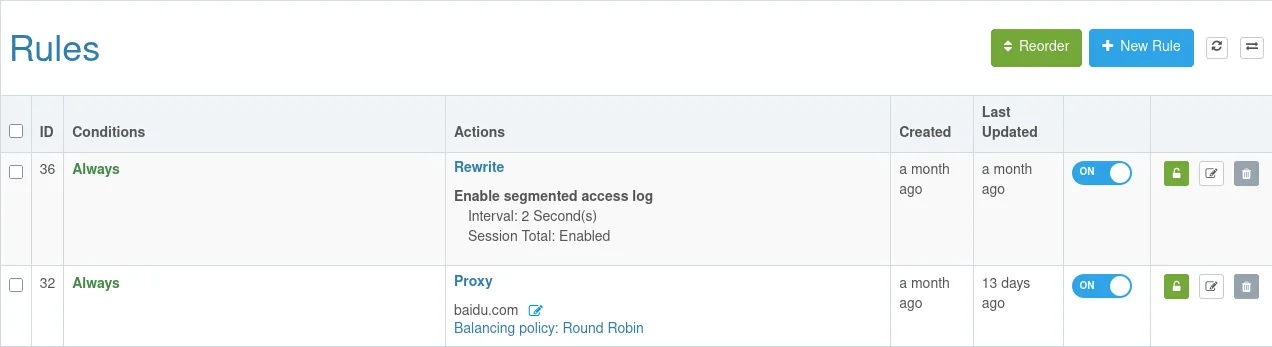
Save and publish the application. New connections use the setting. A shorter interval improves visibility but can substantially increase log volume and write load on the log server.
Distinguish entry types
Include $access_log_type in the stream access log format to distinguish an
interval entry, a final entry for the remaining increment at session end,
and the optional whole-session session_total entry. Do not add both the
incremental entries and session_total when calculating traffic, or it will be
counted twice.
Without $access_log_type in the format, different entry types may not be
reliably distinguishable.