Configuration Summary That Causes OpenResty Edge Node Process Restart
Overview
In OpenResty Edge, certain configuration changes trigger the binary upgrade mechanism, causing Edge Node processes to restart. Understanding these configurations helps operations personnel properly schedule configuration changes and avoid operations that may impact services during business peak hours.
This document summarizes all configuration items and their locations that cause process restarts.
Configuration Categories
1. Global General Configuration
Location: Global Configuration > General Configuration
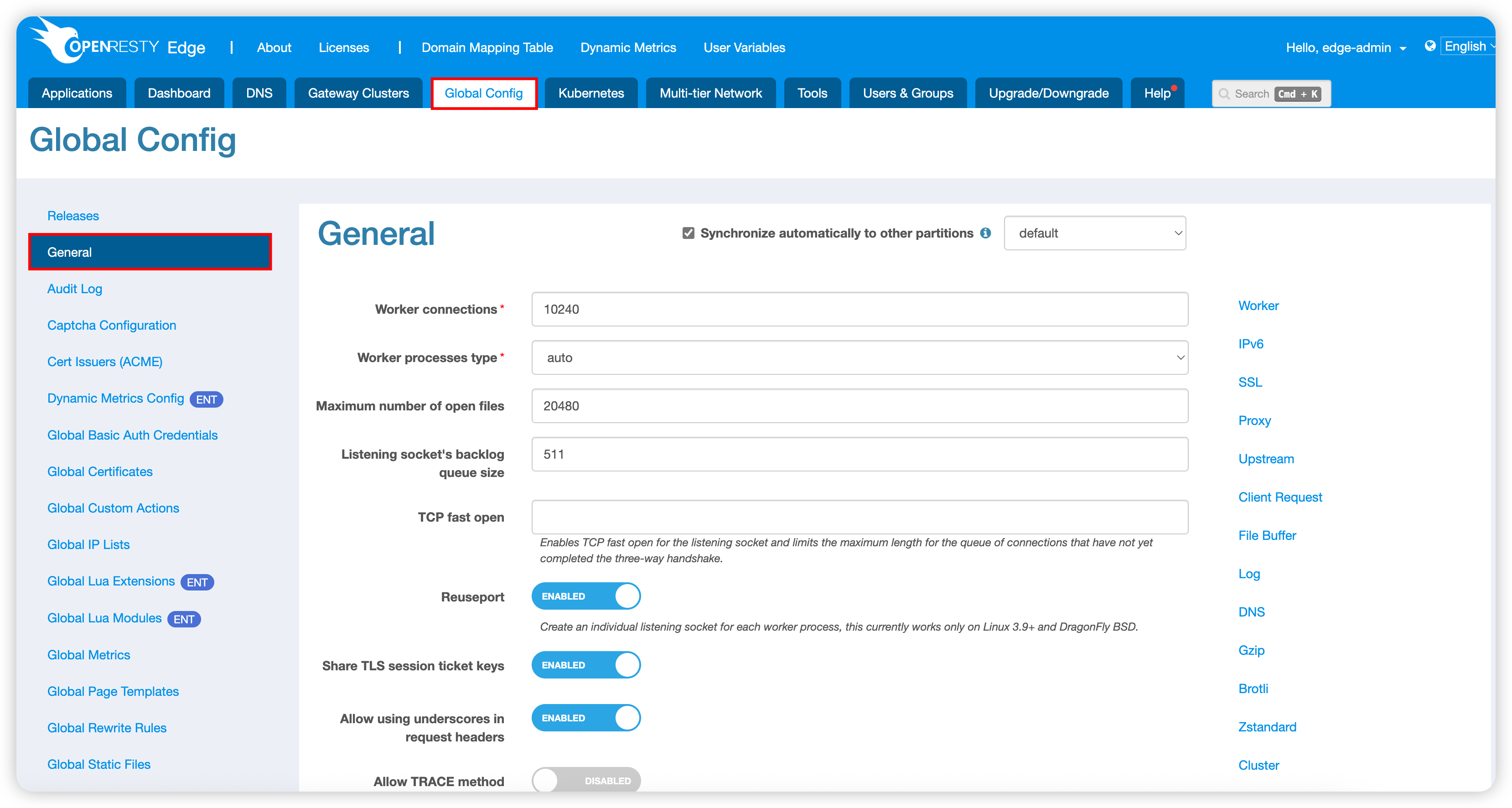
Impact Scope: All configuration item changes on this page will trigger binary upgrade.
Main configuration items include:
- Basic network configuration
- Logging configuration
- Security configuration
- Performance tuning parameters
2. Partition Port Configuration
Location: Gateway Cluster > Gateway Partition > Add/Edit Port
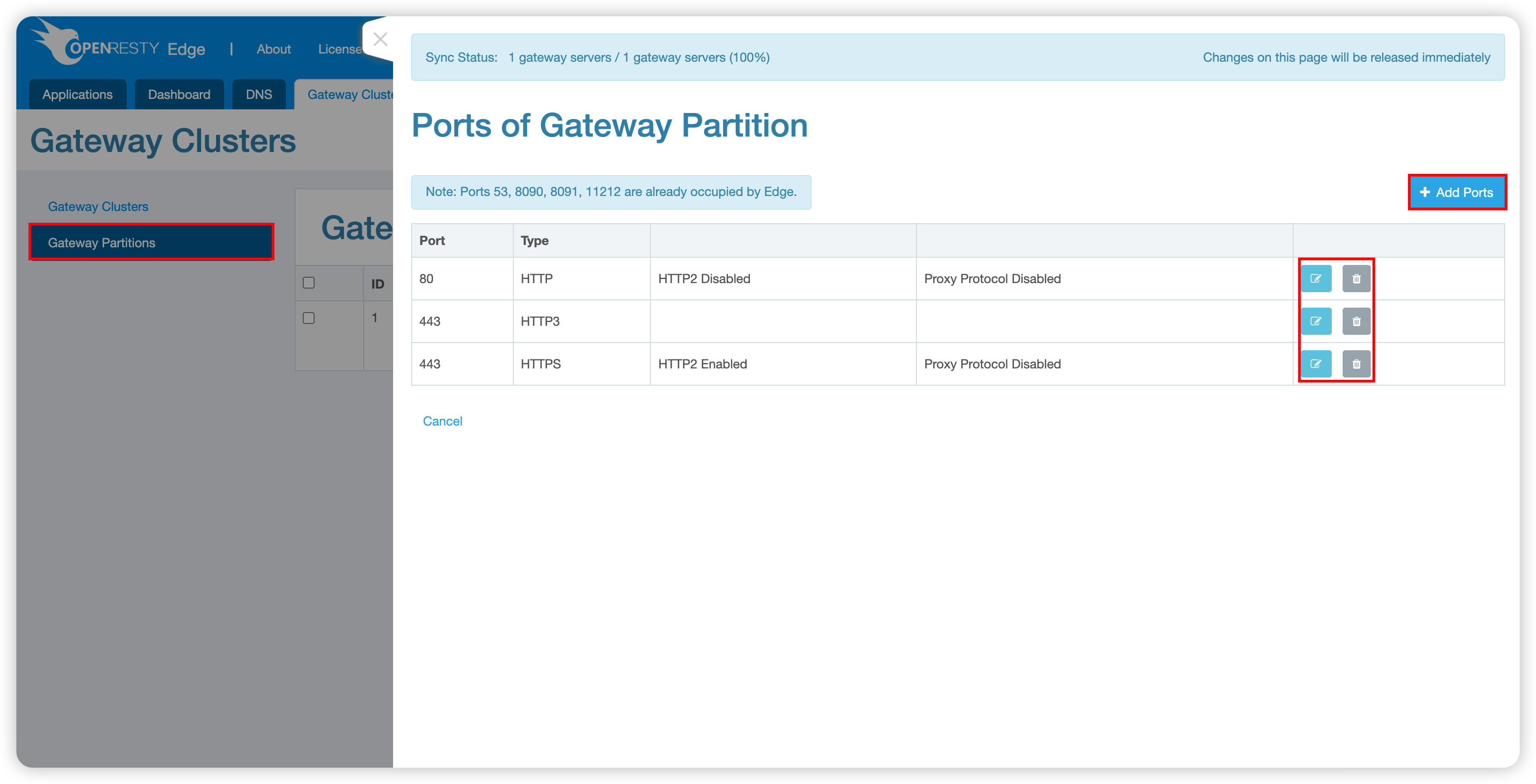
Impact Scope: Adding, deleting, or modifying listening ports will cause process restart.
3. Shared Memory Configuration
Location: Global Configuration > Global Lua Modules > Custom Shared Memory Dictionaries
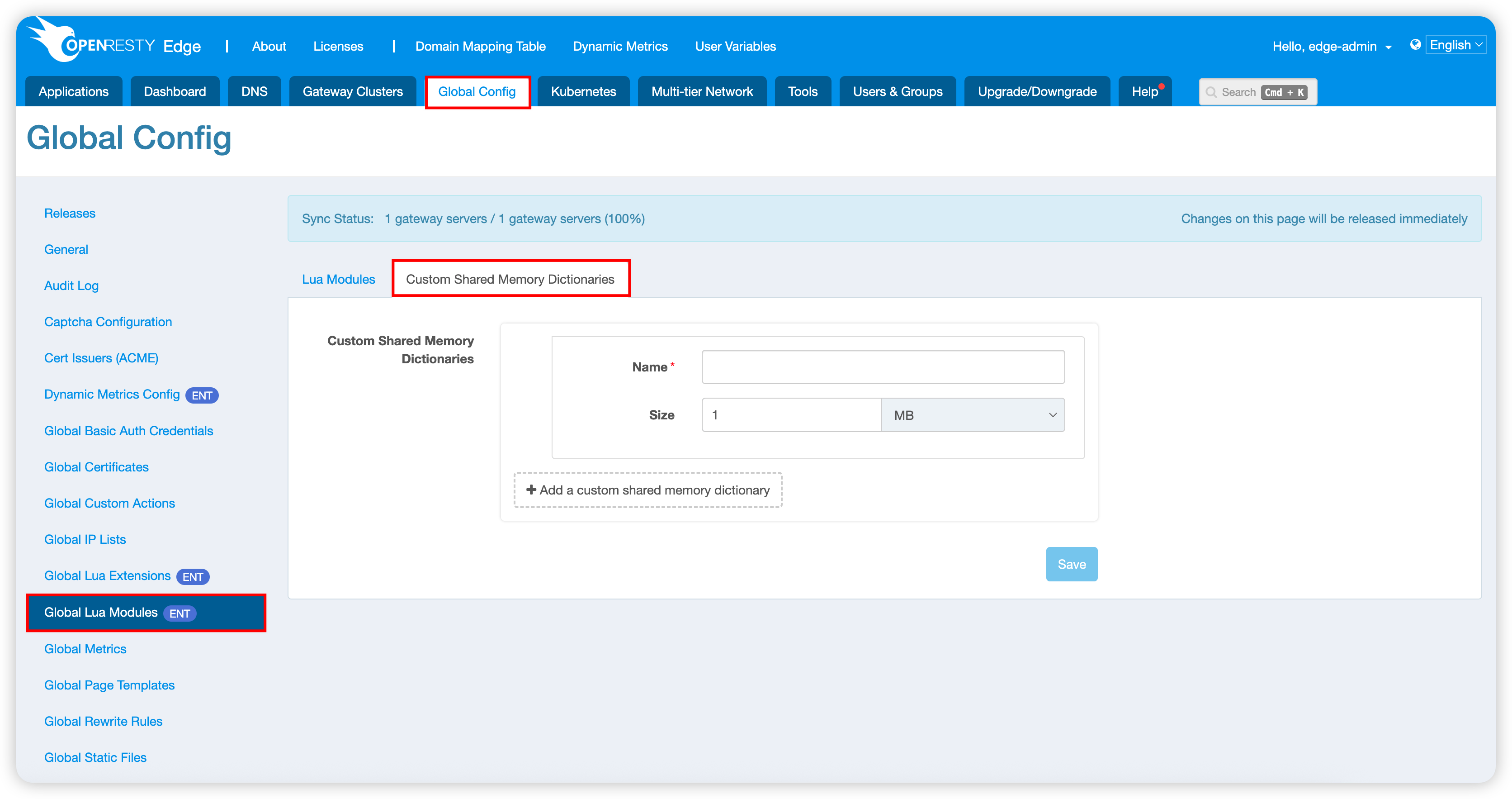
Impact Scope: Adding or deleting a shared memory dictionary, or changing its name or size. The change takes effect as soon as it is saved and applies to the partition selected on the tab. When “Synchronize automatically to other partitions” is enabled on the Global Lua Modules page, only the default partition can be edited, and saving there replaces the dictionaries of all other partitions.
4. Global Statistics Configuration
Location: Global Configuration > Global Statistics Settings > OpenResty Edge Gateway Server
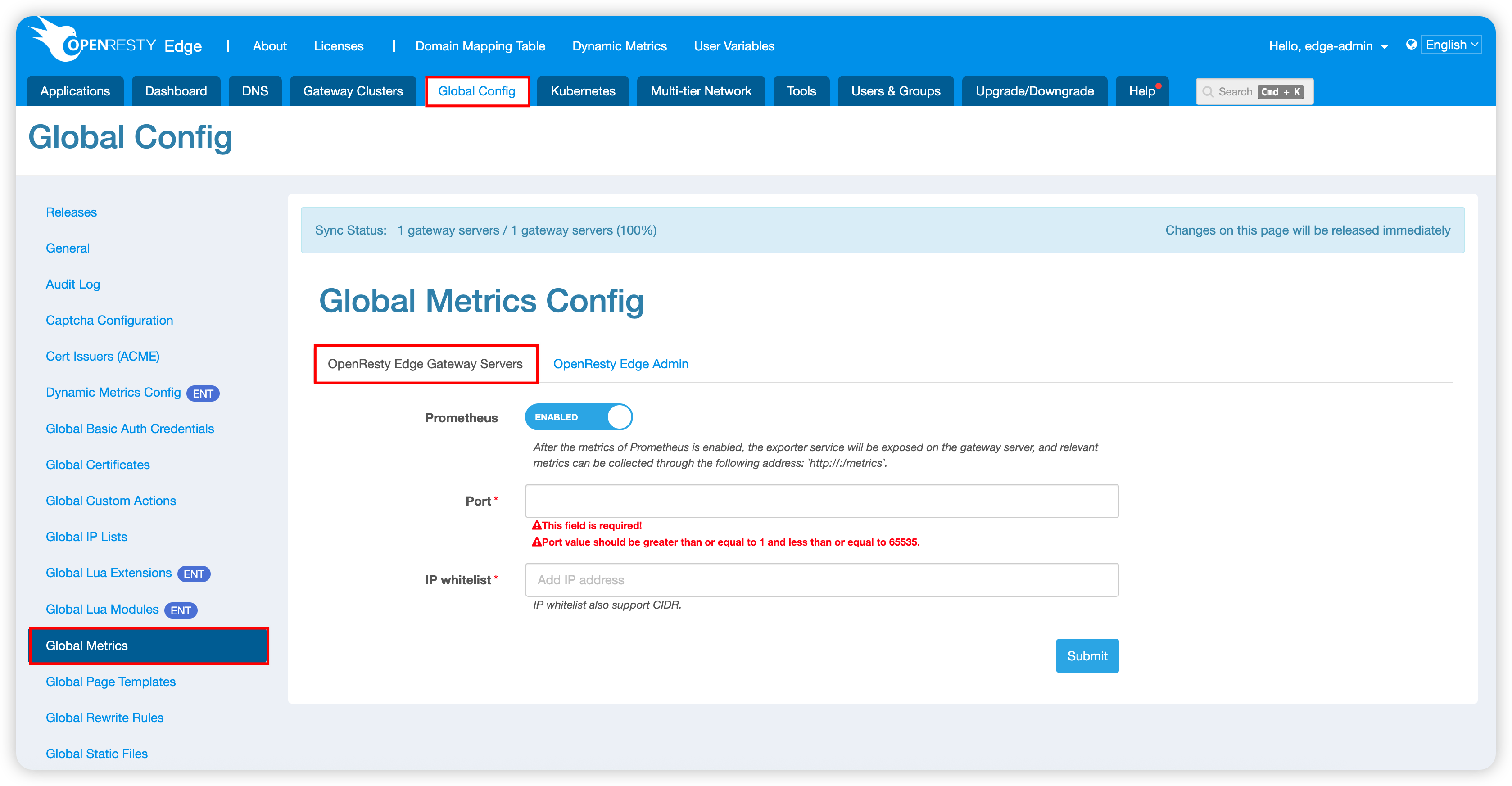
Impact Scope: Enabling/disabling statistics features and related parameter adjustments.
5. Global Dynamic Metrics Configuration
Location: Global Configuration > Dynamic Metrics Configuration
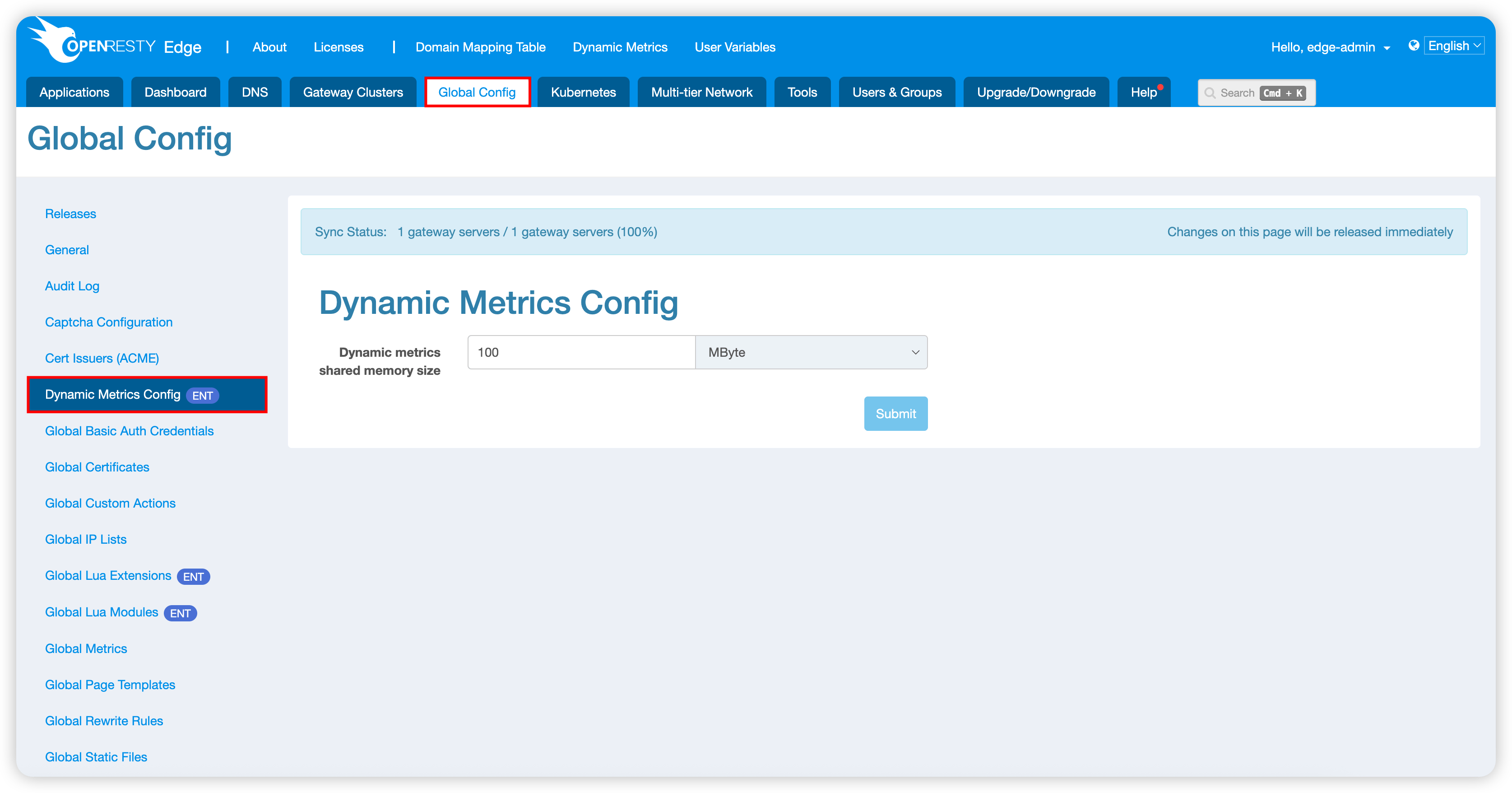
Impact Scope: Changes to the dynamic metrics shared memory size. The change takes effect as soon as it is saved and applies to the partition selected on the page. When “Synchronize automatically to other partitions” is enabled on the General page, only the default partition can be edited, and the size saved there applies to all partitions.
6. Gateway Node Configuration
6.1 Gateway Cluster Configuration
Location: Gateway Cluster > Gateway Cluster > Edit Gateway Cluster > Server
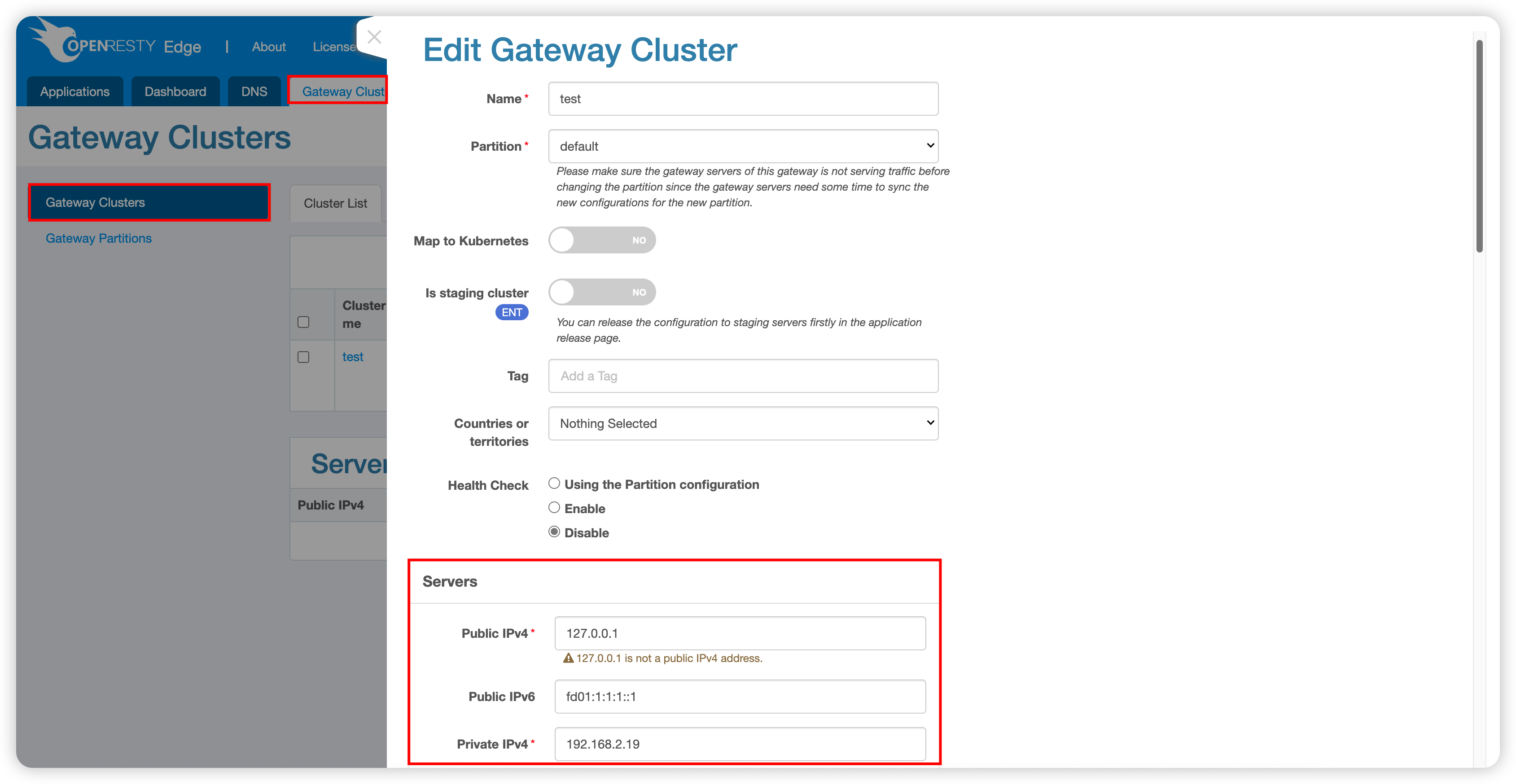
Impact Scope: Modifications to server configurations within the gateway cluster.
6.2 Gateway Server Configuration
Location: Gateway Cluster > Gateway Cluster > Specific Cluster Name > Server > Edit Gateway Server
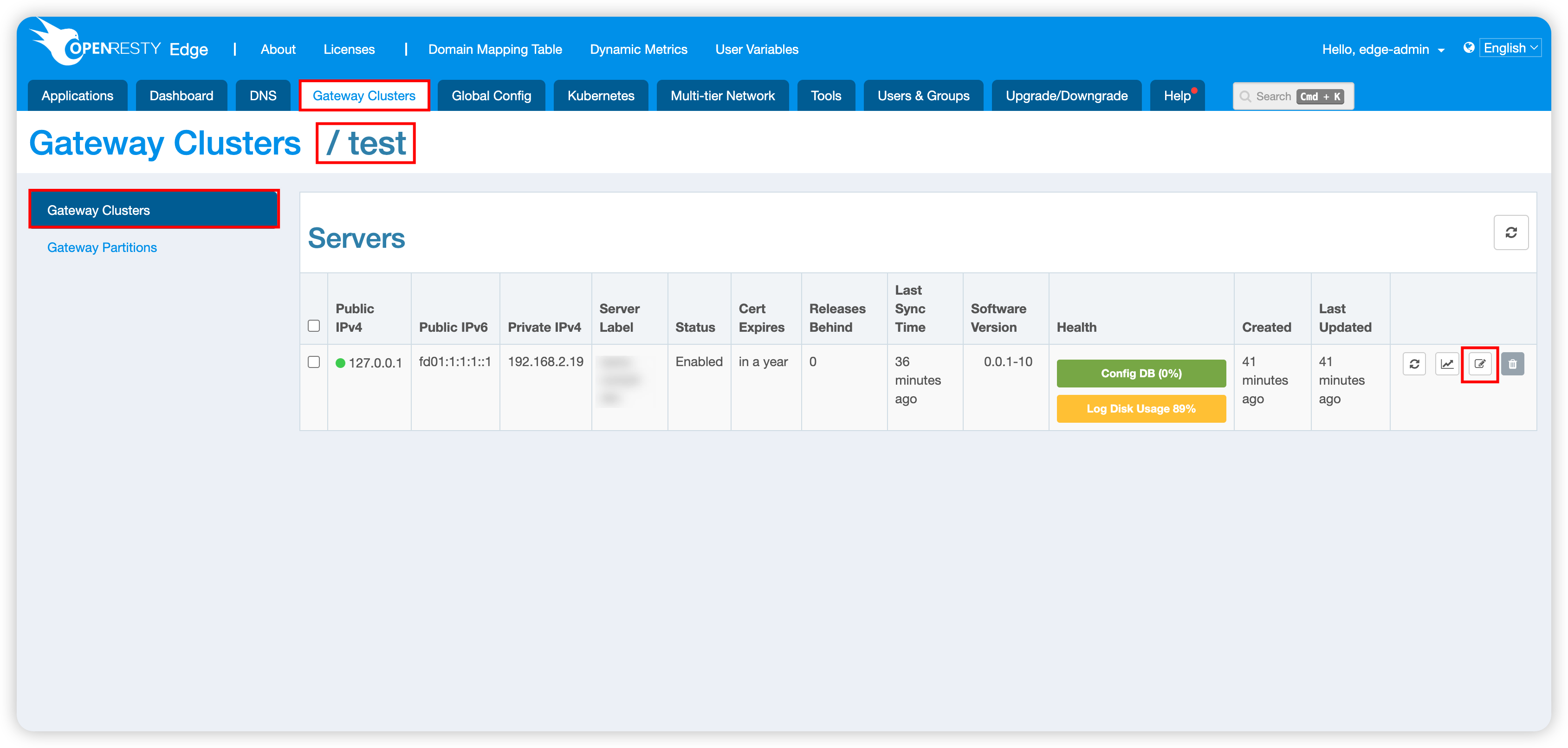
Impact Scope: Detailed configuration modifications of individual gateway servers.
Best Practice Recommendations
- Change Timing: It is recommended to perform these configuration changes during business off-peak hours
- Monitoring Preparation: Ensure monitoring systems are functioning properly before configuration changes to detect anomalies promptly