IP Geolocation Database
OpenResty Edge product integrates support for various IP geolocation databases, including MaxMind Enterprise, MaxMind Lite, IPinfo Lite, IPinfo Plus, ipip.net, and others. These databases provide powerful geolocation-related functionality support for the OpenResty Edge product.
Importance of IP Geolocation Database
The integration of IP geolocation databases enables OpenResty Edge to provide the following key features:
Enhanced Log Information: In pages containing client IP information such as
Error LogsandWAF Logs, the system automatically parses the geolocation information of IP addresses, providing more detailed access source data.Fine-grained Rule Configuration: Page rules and WAF rules can be set based on geolocation information. Administrators can create detailed rules based on users’ continent, country, province, city, and other geographic information. For example, a specific upstream proxy can be set for users from the United States, with a request rate limit of 10,000 per second.
Optimized DNS Resolution: The system can determine the user’s geolocation and ISP based on their source IP, thereby returning the optimal DNS resolution results.
Database Selection
You can choose to obtain IP geolocation databases through the following methods:
- Commercial IP geolocation databases purchased from MaxMind, ipip.net, or qqzeng
- MaxMind’s free product GeoLite2
- IPinfo Lite and IPinfo Plus from IPinfo
- Custom IP geolocation database
The following sections describe how to use the MaxMind Lite (the free GeoLite2 product), IPinfo Lite, and IPinfo Plus databases in OpenResty Edge.
Configuring MaxMind Lite Database
Step 1: Obtain MaxMind License Key
- Visit the MaxMind official website
- Register and log in to your account
- Generate a License Key in the control panel
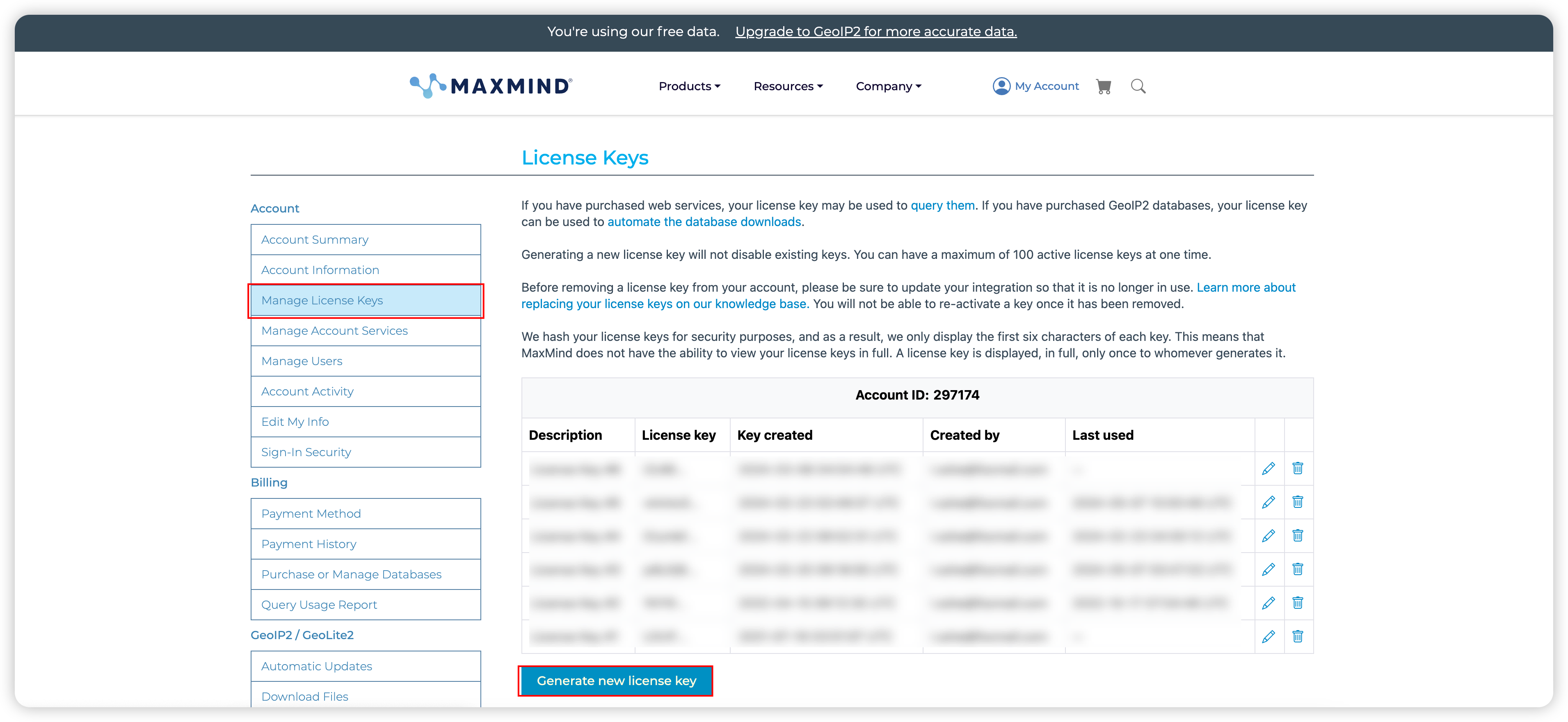
Step 2: Configure in OpenResty Edge Admin
- Log in to the OpenResty Edge Admin console
- Go to Global Settings
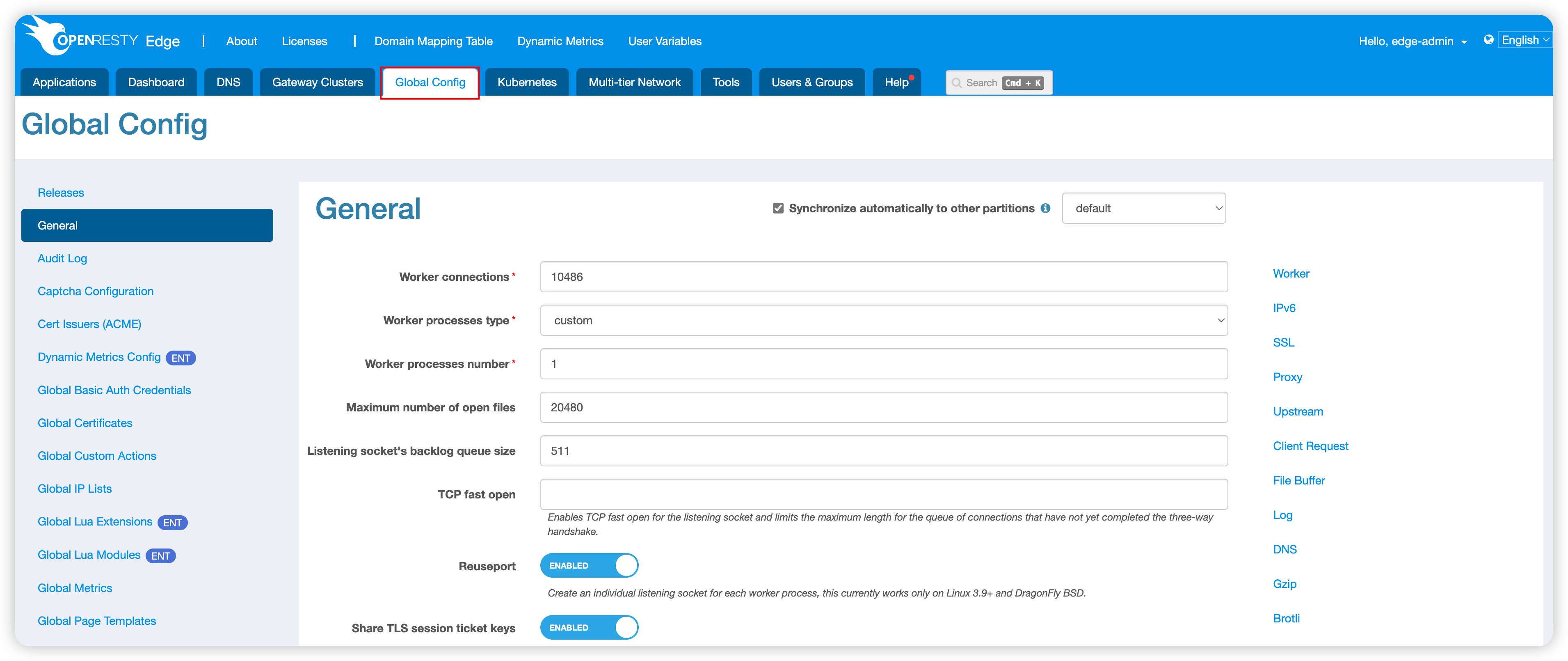
- Click on
IP Geolocation Database
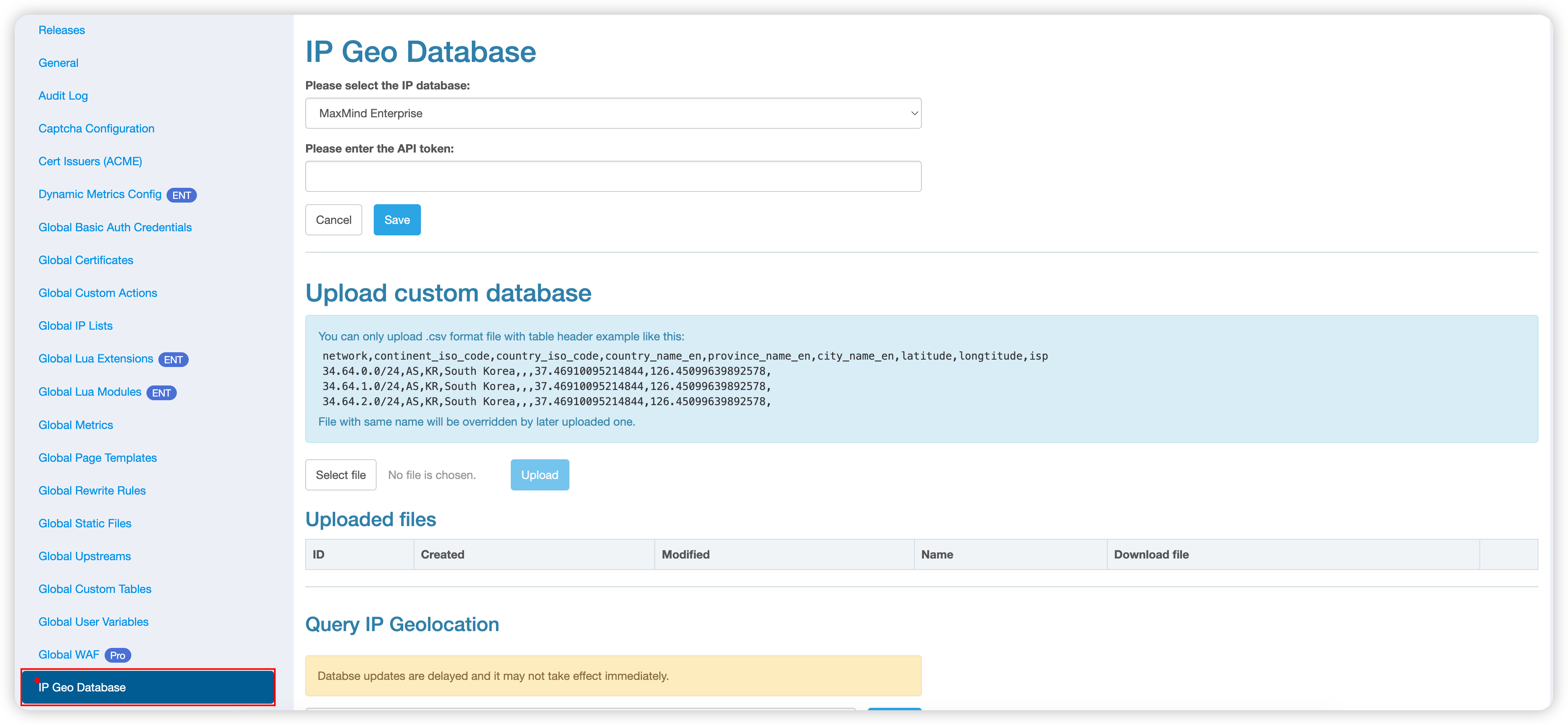
- Select
Maxmind Lite
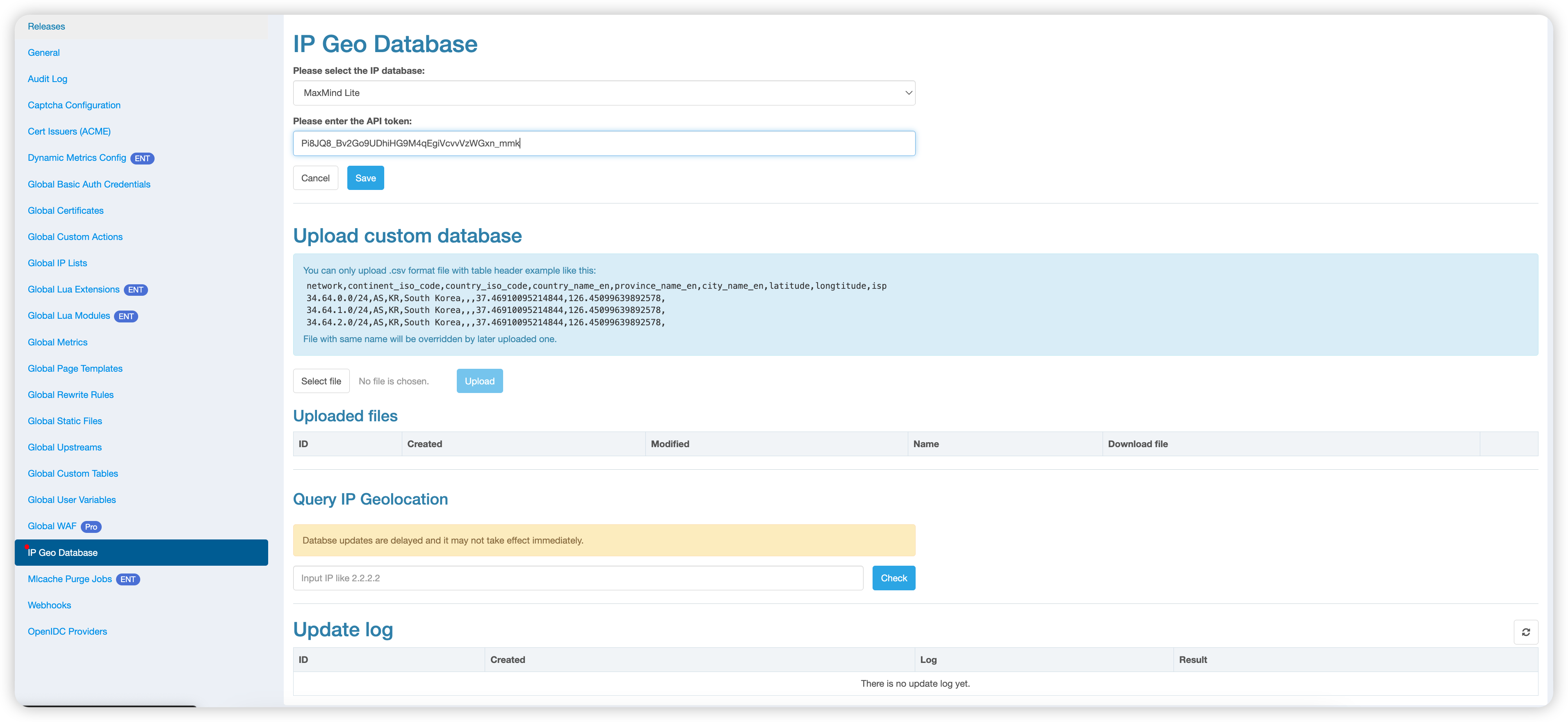
- Enter the previously obtained MaxMind License Key
- Click the
Savebutton
Note: The system will automatically verify the entered License Key. An appropriate error message will be displayed if it’s incorrect or expired.
Configuring IPinfo Lite and IPinfo Plus Databases
IPinfo Lite includes country, continent, and basic ASN information. IPinfo Plus provides richer geolocation, ASN, network, and security-related information. The available fields depend on the IPinfo database version and account permissions.
Step 1: Obtain an IPinfo API Token
- Register and log in to your IPinfo account
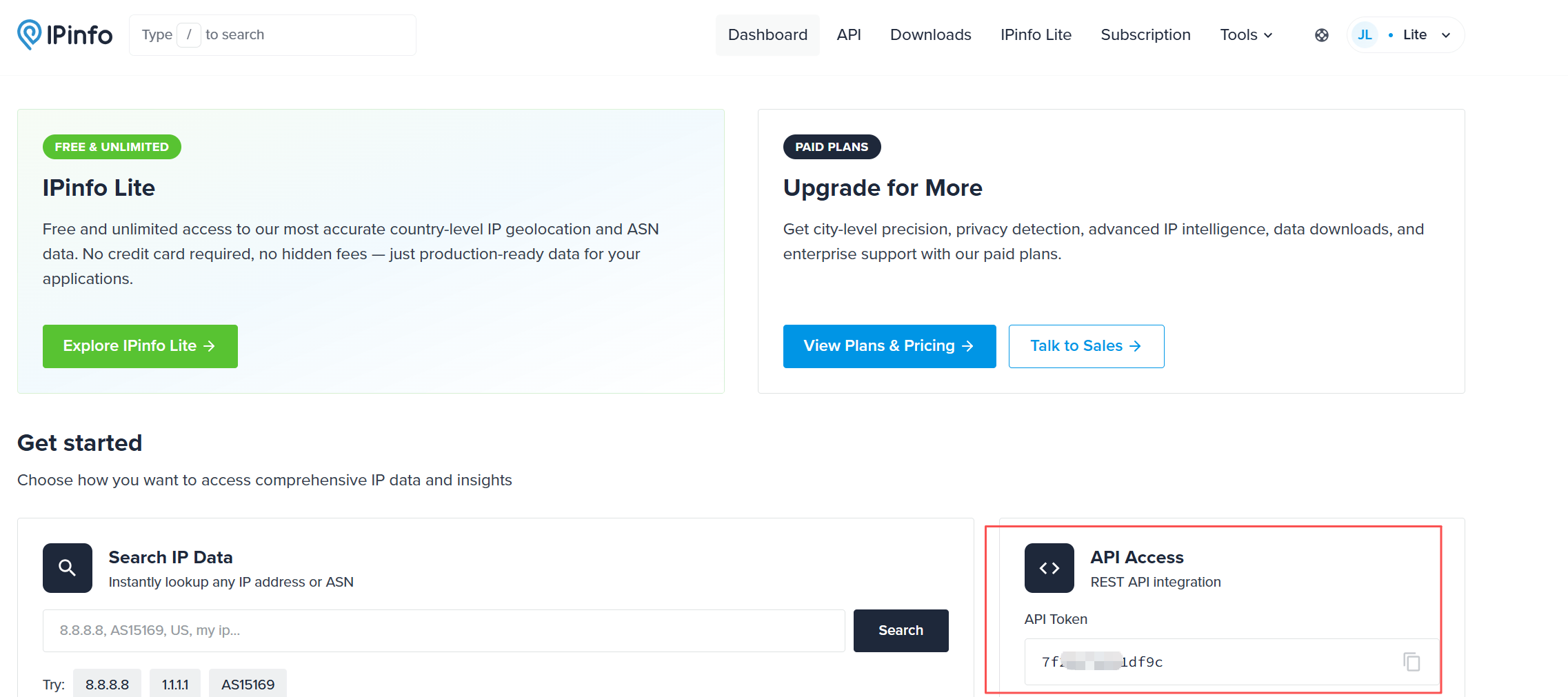
- Open the IPinfo Dashboard
- Copy the API Token from the Dashboard
Step 2: Configure OpenResty Edge Admin
- Log in to the OpenResty Edge Admin console
- Go to Global Settings
- Click
IP Geolocation Database - Select
Ipinfo LiteorIpinfo Plusas needed - Enter the IPinfo API Token obtained in the previous step
- Click
Save
Note: Make sure the API Token can download the selected IPinfo database. The system displays an error if the token is incorrect, expired, or does not have the required permission.
Database Update Mechanism
- OpenResty Edge Admin automatically synchronizes with the IP geolocation provider daily to get the latest database.
- The updated database is automatically synced to all OpenResty Edge Node gateway servers without administrator intervention.
- The bottom half of the page displays the update log of the IP geolocation database, allowing administrators to check the synchronization status.
Important Notes
- An expired MaxMind License Key or IPinfo API Token does not affect the business logic of OpenResty Edge Node gateway servers.
- Expired credentials only prevent the latest data from being synchronized. The OpenResty Edge Node gateway servers can still use existing data.
Custom IP Geolocation Database
OpenResty Edge supports custom IP geolocation databases, which can be used in parallel with standard databases such as MaxMind Lite, IPinfo Lite, and IPinfo Plus to provide more precise geographic information for specific needs.
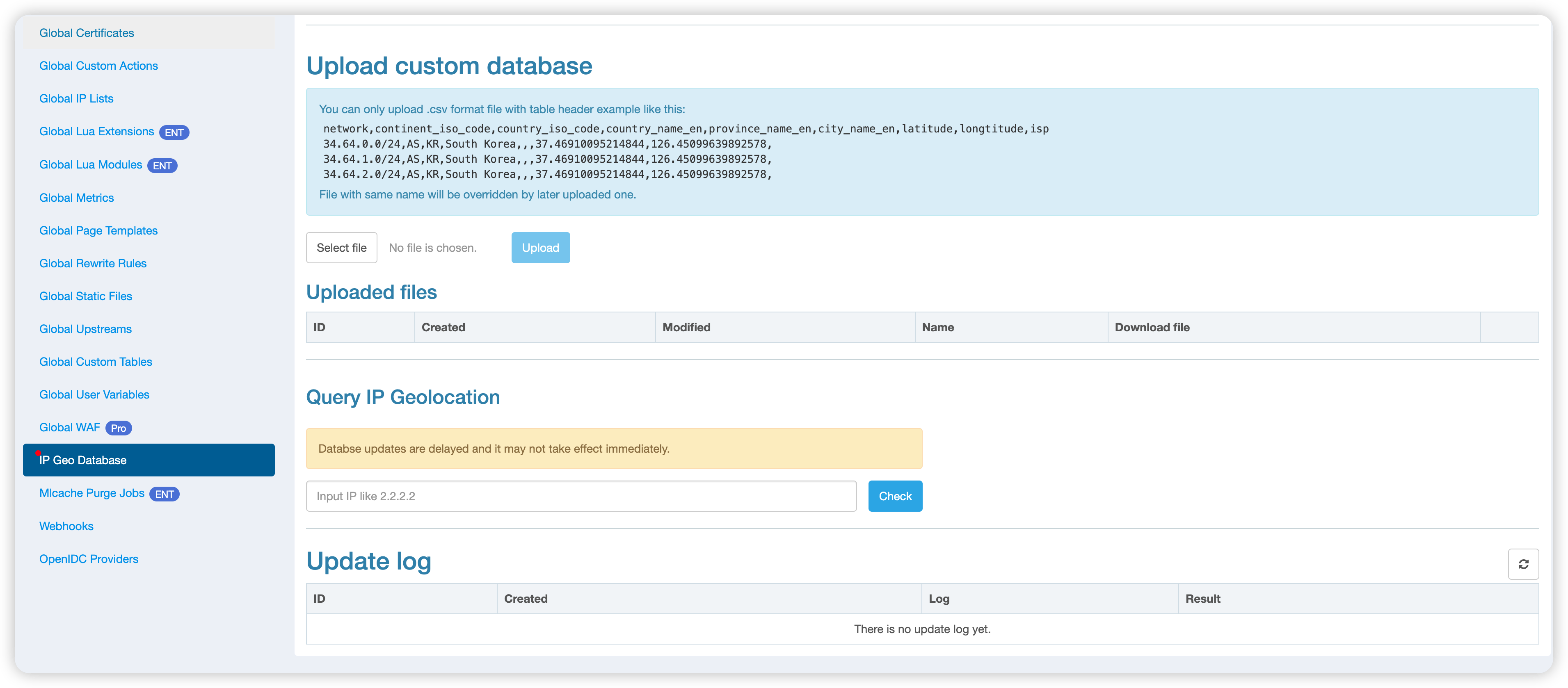
The custom IP geolocation database uses CSV format with the following data structure:
network,continent_iso_code,country_iso_code,country_name_en,province_name_en,city_name_en,latitude,longitude,isp
34.64.0.0/24,AS,KR,South Korea,,,37.46910095214844,126.45099639892578,
34.64.1.0/24,AS,KR,South Korea,,,37.46910095214844,126.45099639892578,
34.64.2.0/24,AS,KR,South Korea,,,37.46910095214844,126.45099639892578,
IP Geolocation Query
The OpenResty Edge Admin console provides a convenient IP address query function:
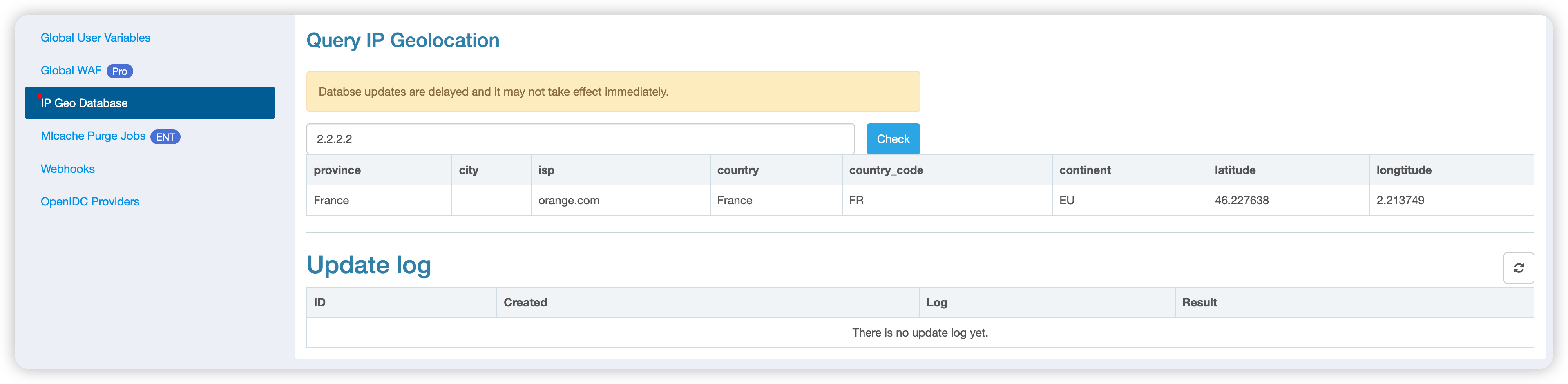
You can use this function to:
- Perform query tests after configuring the IP geolocation database to confirm the correct configuration.
- Quickly verify when there are questions about the geolocation information of IP addresses reported by OpenResty Edge Node gateways.
By following these steps, you can easily configure and utilize the IP geolocation database, fully utilizing OpenResty Edge’s geolocation-related features.