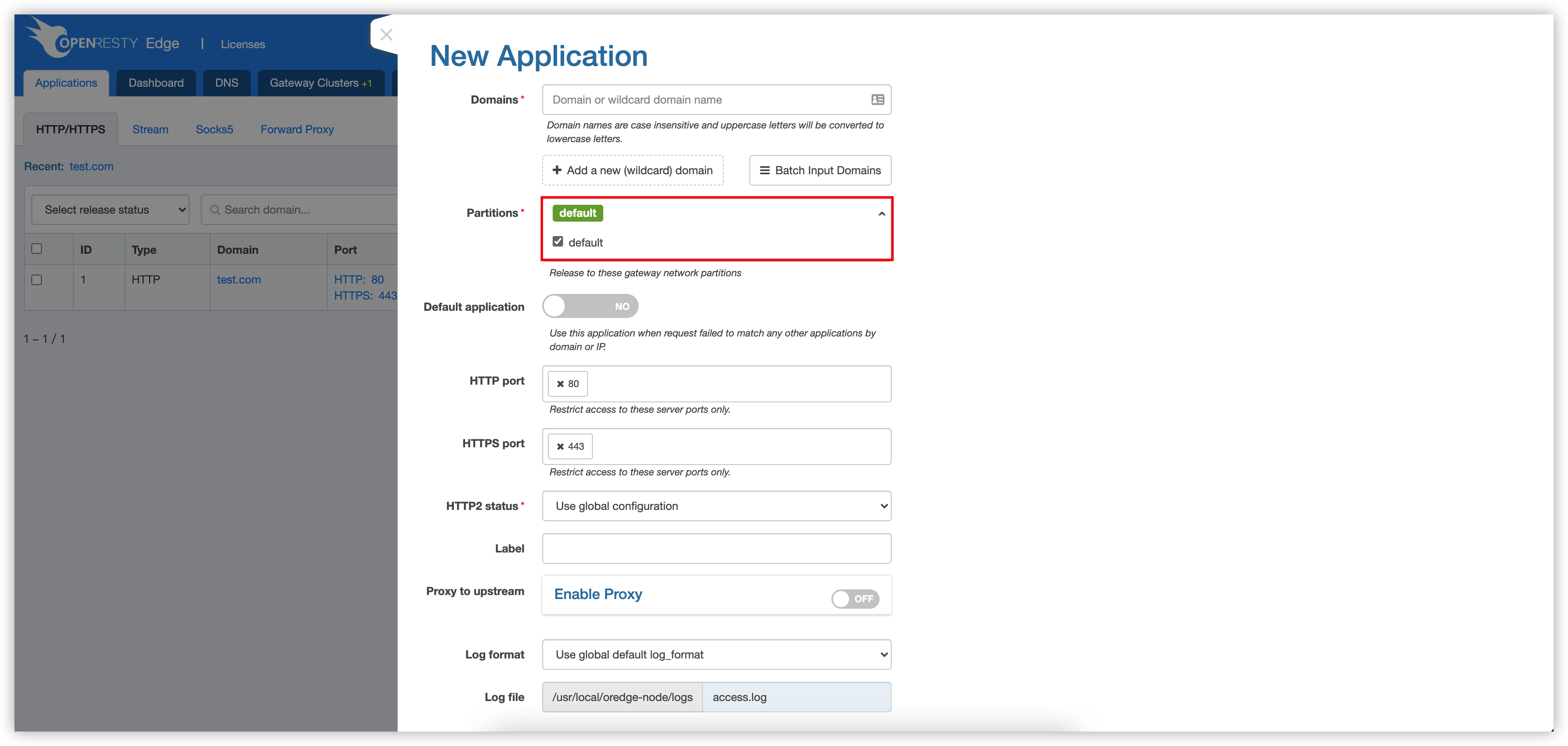
Gateway Partitions
OpenResty Edge supports the configuration of multiple partitions and you can publish specified applications to specific partitions.
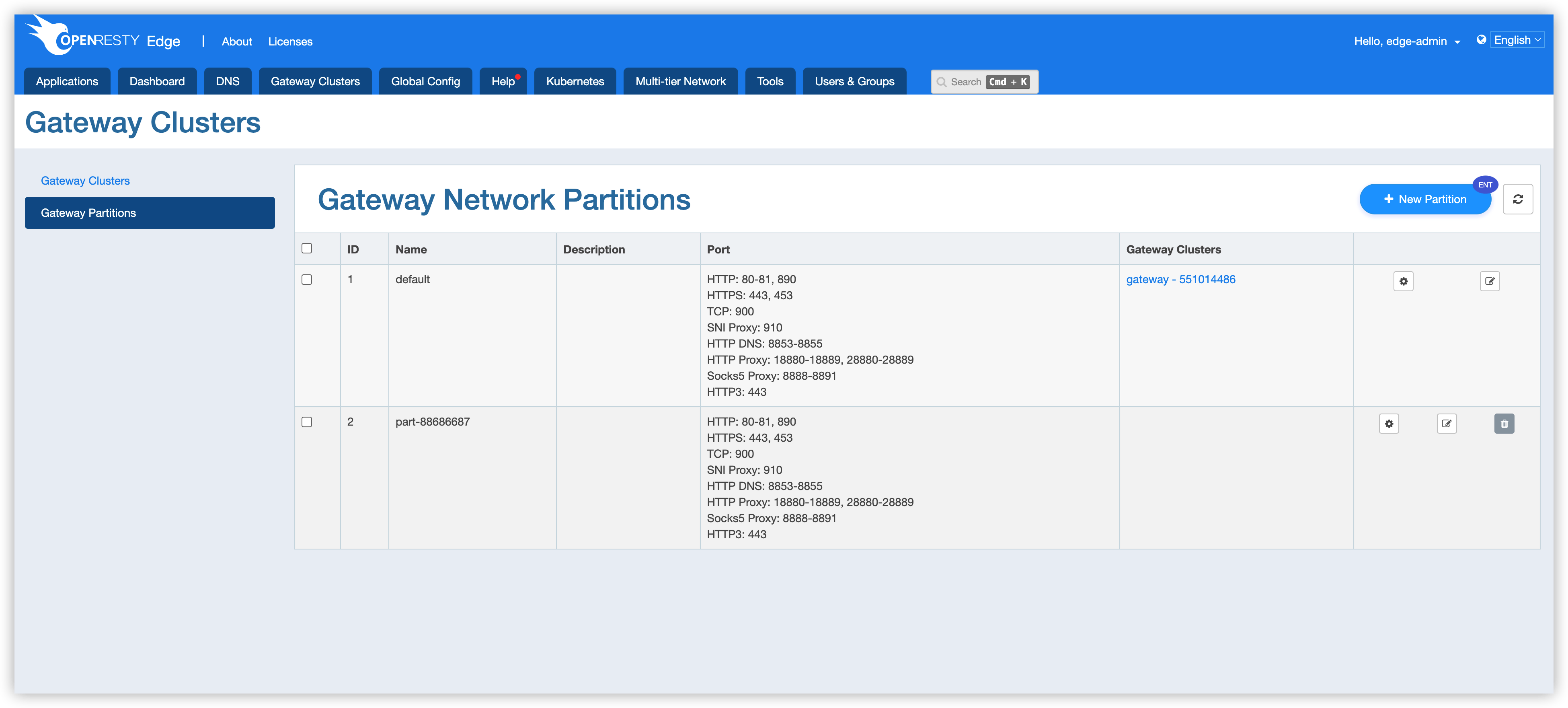
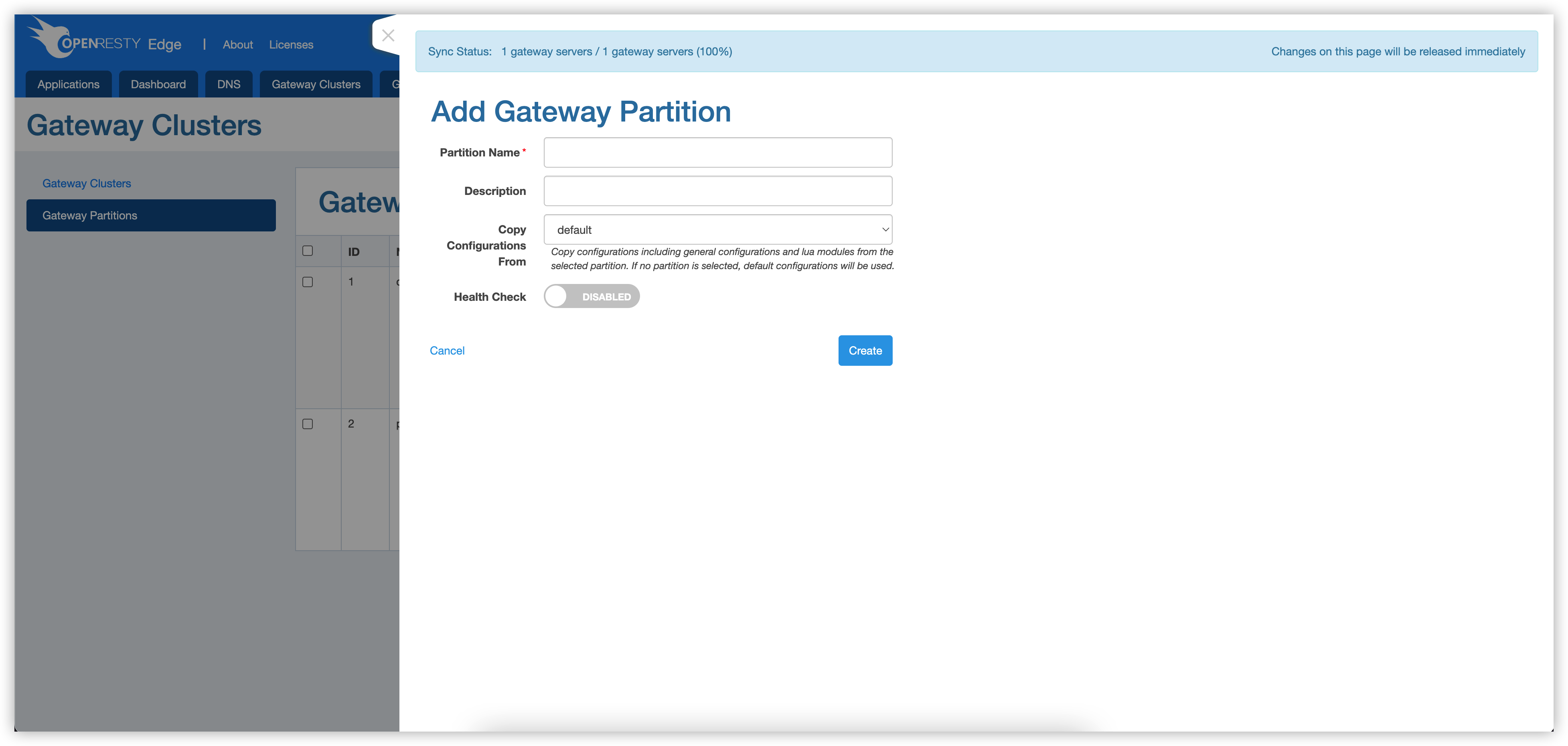
Add Partition
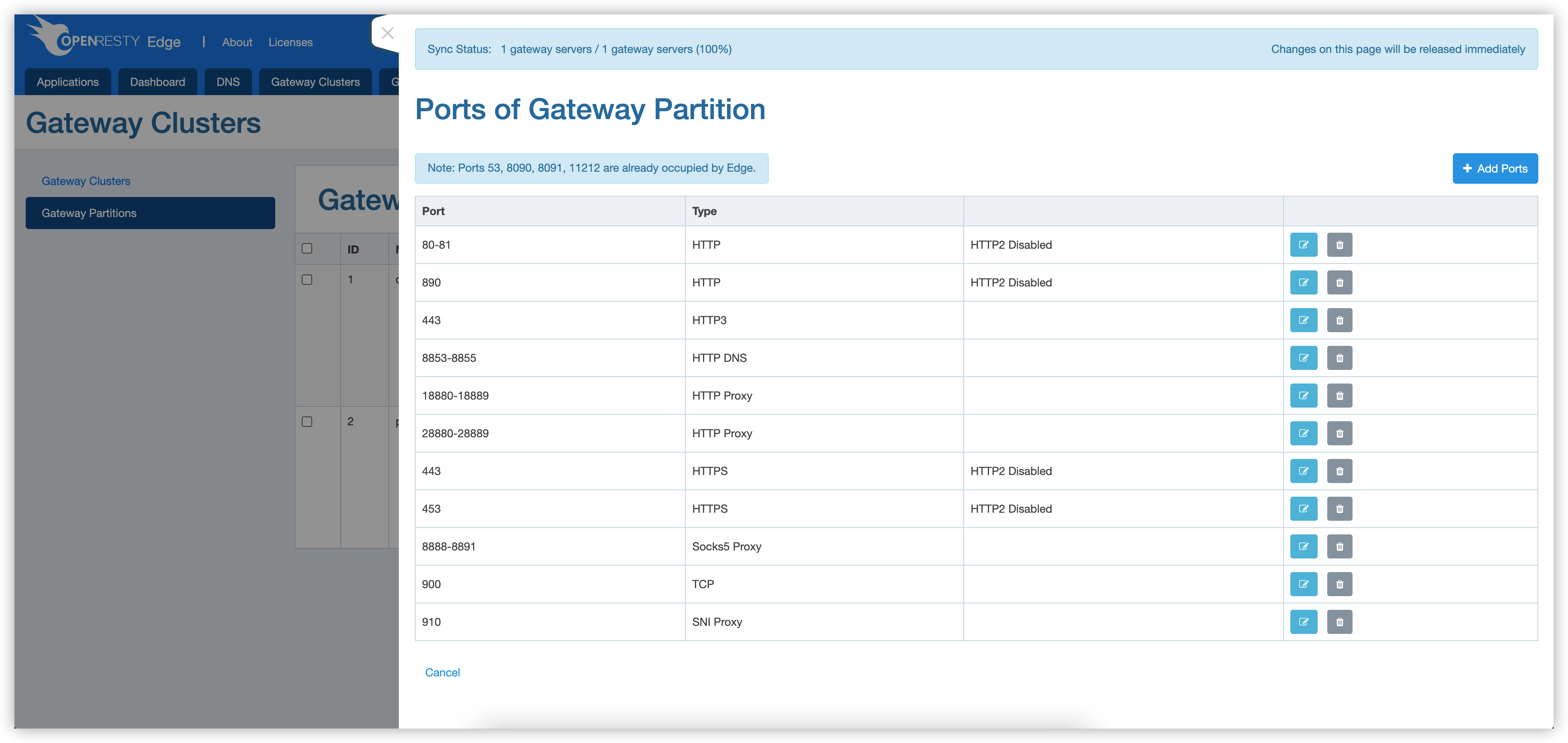
Add Port to Partition
Changes to the port ranges and types, or to options such as HTTP/2 and the PROXY protocol, trigger a gateway process update and are delivered to the gateway nodes of all partitions as soon as they are saved. See Configuration and Process Updates before you make such a change.
Following ports are reserved or occupied:
- 80, 443: default service used to proxy APP, visible on the public network.
- 11212: Used for shared ssl session, visible on the intranet.
- 8090: Used for sharing resources within the cluster, visible on the intranet.
- 8091: Used to get the status and version of the Node, visible locally(127.0.0.1).
Enable Proxy Protocol for Specified Port
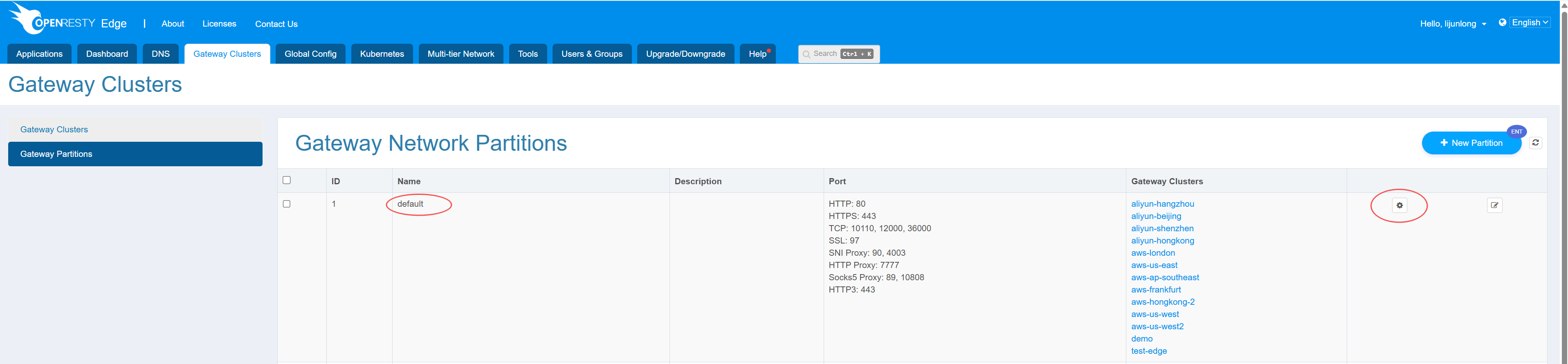
Select the gateway partition you need to edit and click the edit button on the right
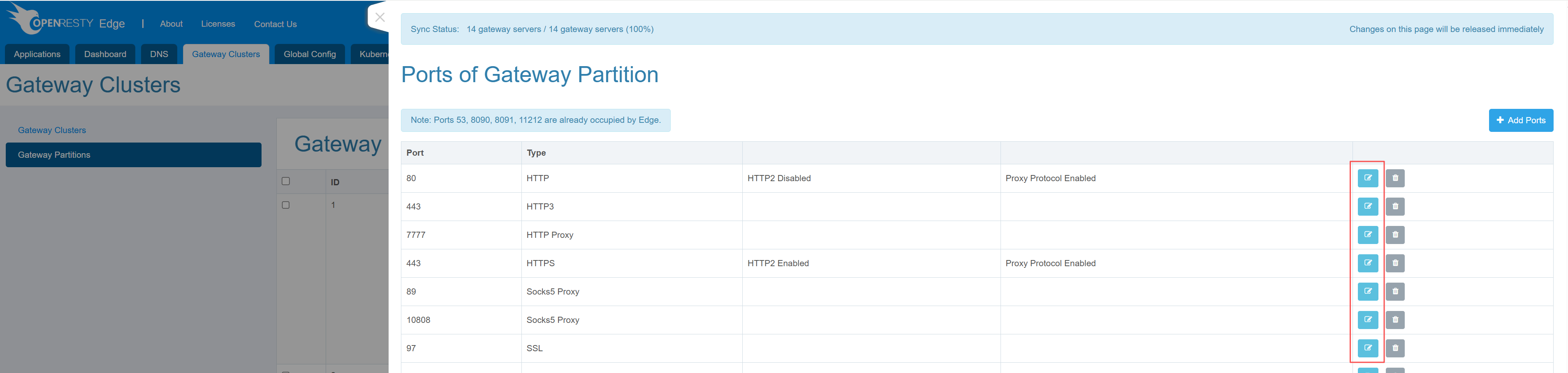
In the port list, select the port for which you need to enable proxy protocol and click the edit button on the right
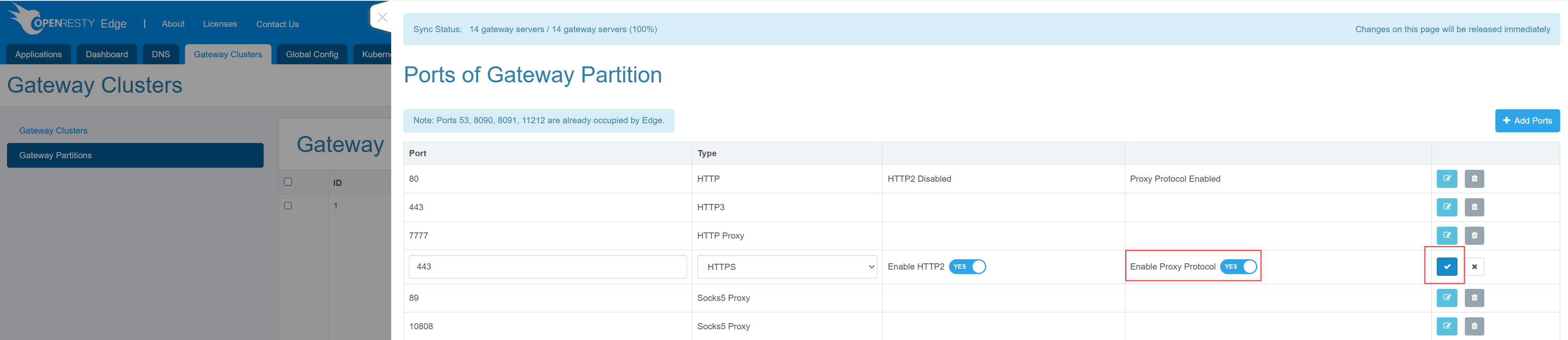
On the port editing page, enable proxy protocol and save the configuration
Usage
Select the partition when configuring the application: