Migrate DNS Resolution for Namecheap Domain to OpenResty Edge
Before proceeding with the following steps, please ensure you have completed the following configurations in OpenResty Edge Admin:
- DNS resolution has been configured for both
ns1.example.comandns2.example.com - The relevant configurations have been successfully released
Note: Please replace
example.comin this document with your actual domain name.
Configuration Steps
1. Access Domain Management Page
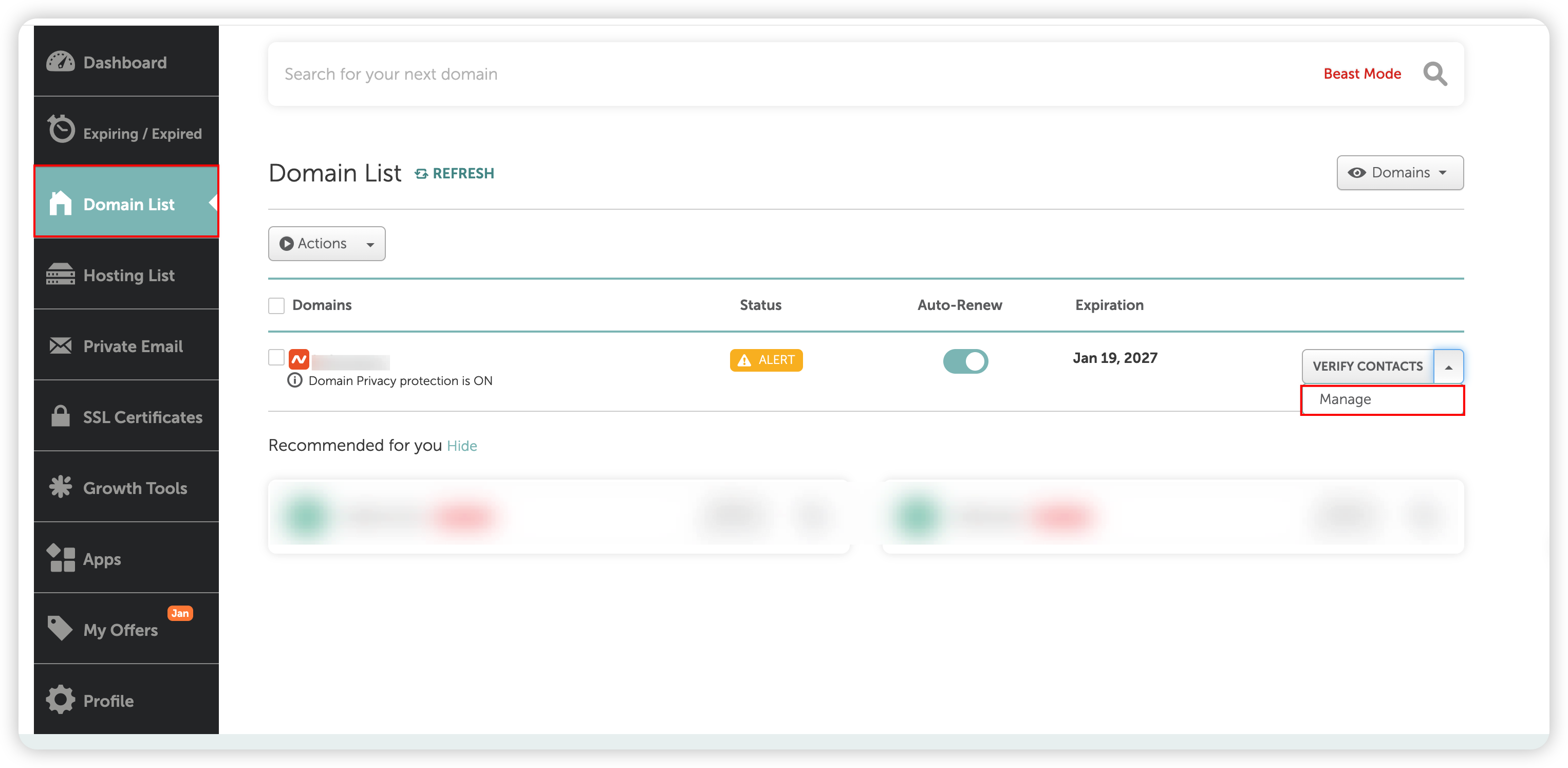
Log in to the Namecheap console, select Domain List, and click Manage for the corresponding domain:
2. Add Custom Nameservers
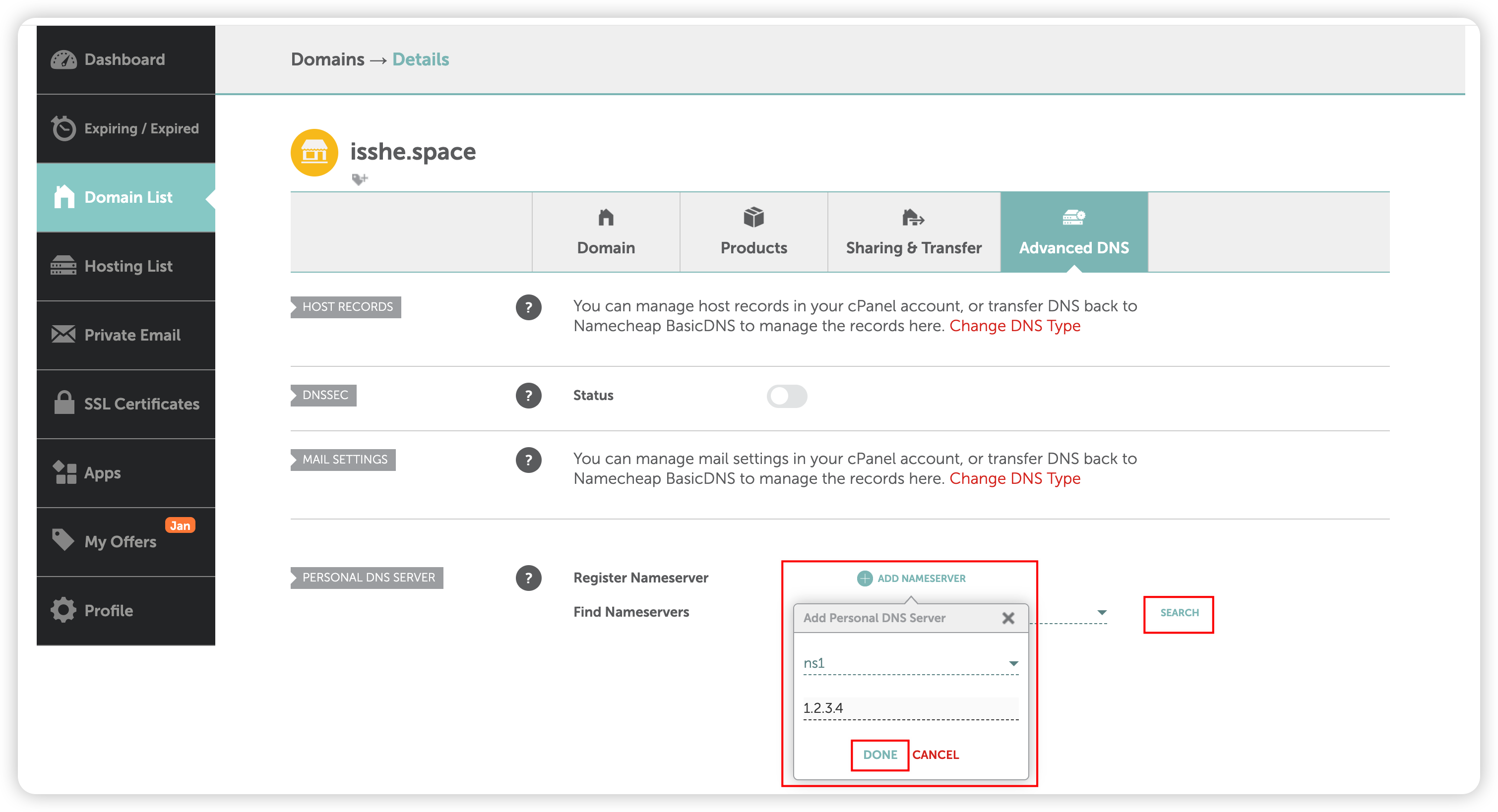
Navigate to Advanced DNS > Personal DNS Server > ADD Nameserver, and fill in the following information:
- Nameserver name: Enter
ns1orns2, etc. - IP address: Enter the corresponding IP address configured in OpenResty Edge Admin
Click DONE to save when finished.
3. Verify Nameserver Addition
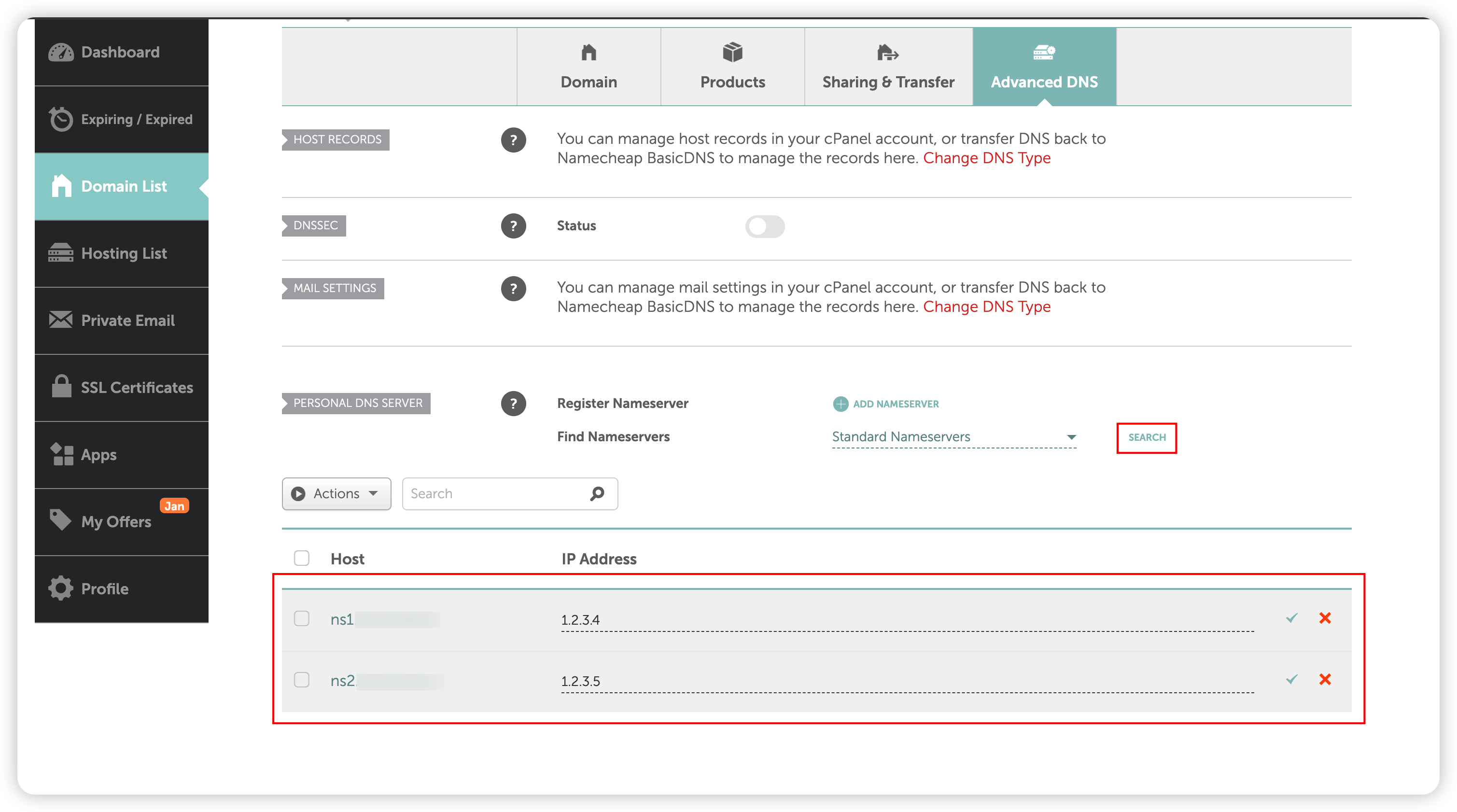
Click the SEARCH button to confirm that the Nameserver information you just added is displayed correctly.
4. Configure Domain to Use Custom Nameservers
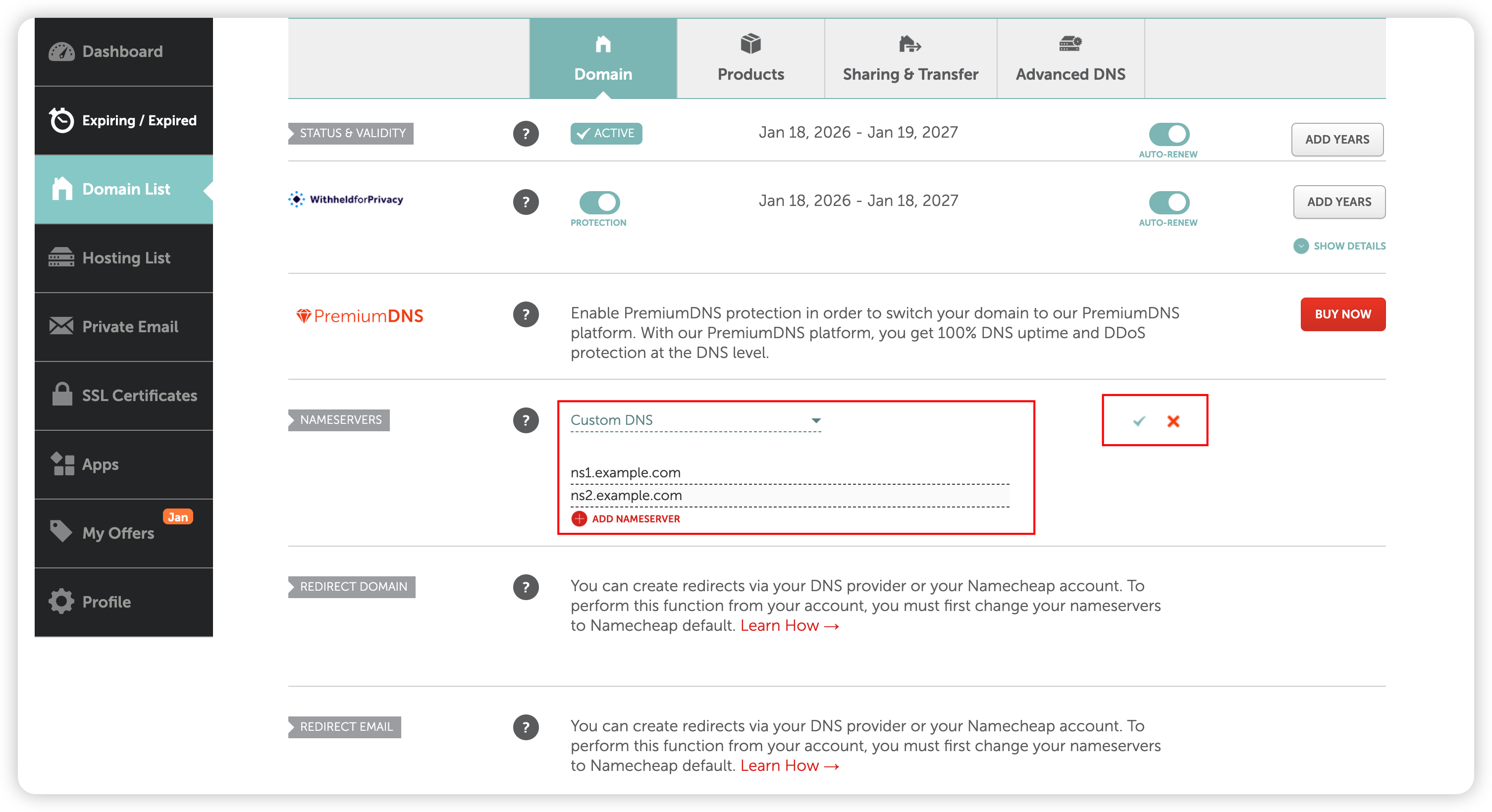
Navigate to Domain > Nameservers, select Custom DNS, and enter the two Nameservers defined earlier:
ns1.example.comns2.example.com
After filling in the information, click the ✓ on the right to save the configuration.
5. Wait for Propagation
After the NS records take effect (typically takes a few minutes to 48 hours), your gateway nodes will be able to provide DNS resolution services.