Log rotation
The log files are usually rotated to avoid oversizing a single log file.
Default Rotation Policy
The current policy used by OpenResty Edge is to rotate log files based on time. The time interval is 3600 seconds, and the default maximum number of files retained is 168. This means that Edge generates one log file every hour for each configured log category.
Log file naming format:
# error.log_yyyymmdd.HHMMSS
error.log_20220922.090000
Modify the rotation policy
The Maximum number of log files to keep can be configured in Edge Admin at:
[Global Config] - [General] - [Log]
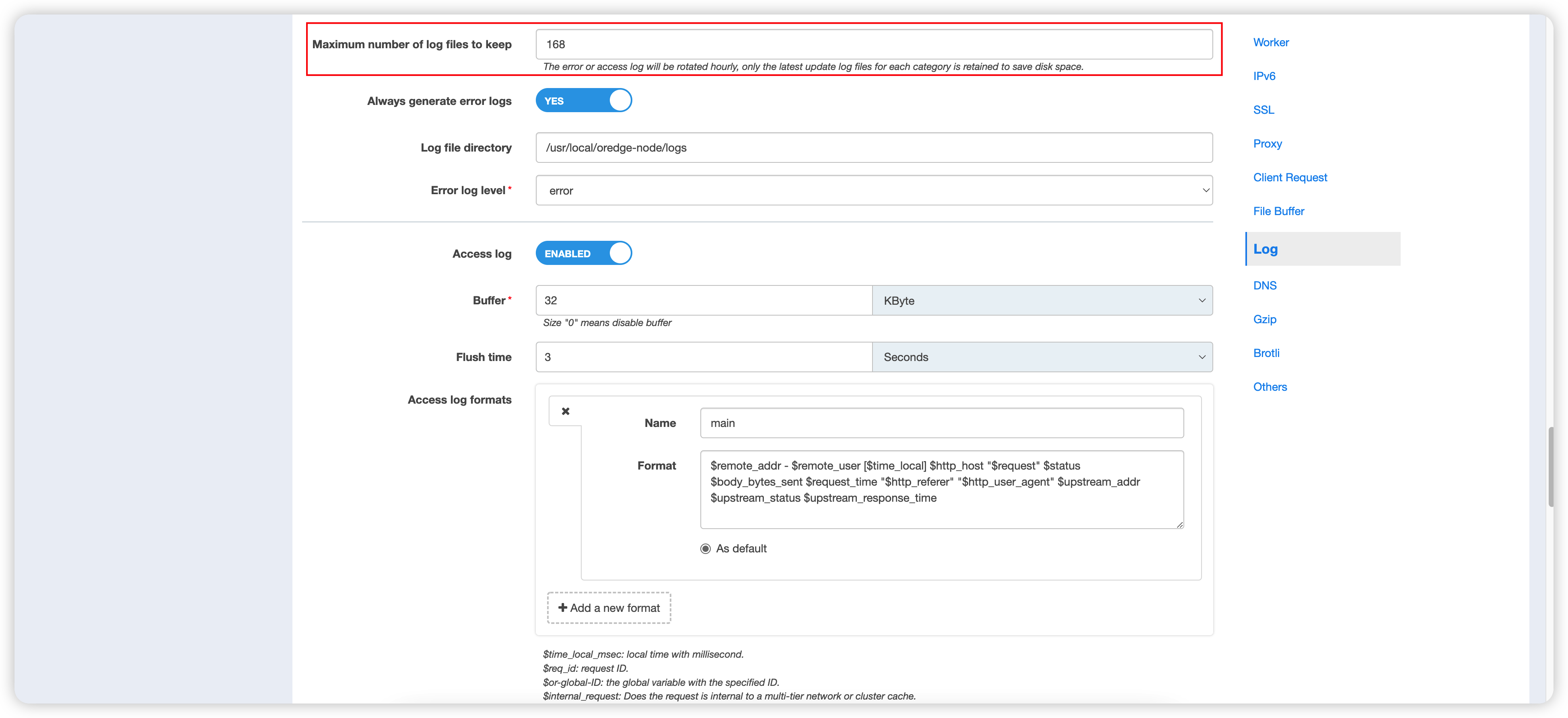
The Edge Admin form accepts 4–2048. The Admin API accepts 1–2048 for
compatibility. A per-file EdgeLang set-access-log(max-kept:) value takes
precedence over this global value; when it is omitted, the global value applies.
The rotation interval can be configured via the config.ini file:
/usr/local/oredge-node/conf/config.ini
[rotate_log]
interval = 3600
Do not reduce retention without checking hourly volume, available disk space,
incident-response requirements, and external log shipping. Gzip-compressed
access logs can be read with zcat.
If you want to get the path to the log files, you can refer to this document: Path to the log file.