Backup Reminder
Backup Reminder tracks the backup status of the Edge Admin database. It records that a backup has been completed; it does not run a database backup.
This feature was first introduced in OpenResty Edge 26.12.1-1.
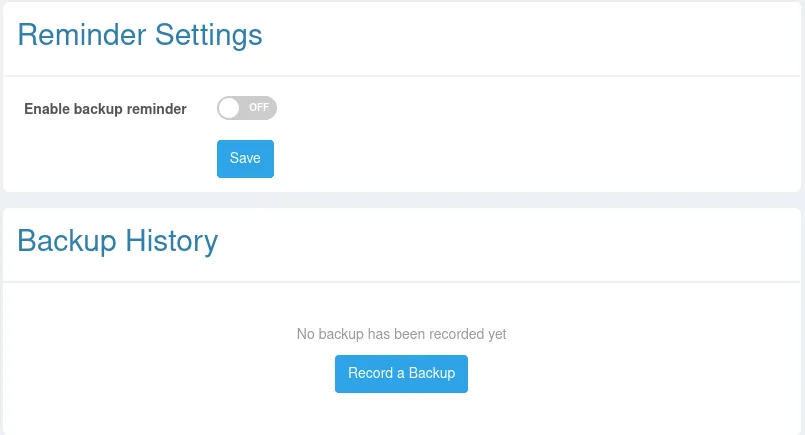
Configure reminders
Backup reminders are enabled by default, with a reminder period of 30 days. Open Dashboard > Backup Reminder to adjust the period under Reminder Settings. The allowed range is 1 to 365 days.
The page shows the latest backup, who recorded it, the next reminder, and the current status. A reminder also appears at the top of the console when no backup has been recorded or the latest backup is older than the configured period.
If reminders are not needed, a user with Backup Reminder write permission can turn them off under Reminder Settings, save, and confirm the change. Disabling reminders stops backup notifications but still allows recording backups and viewing history. Reminders can be re-enabled at any time. Dismissing the banner only hides it for the current browser session and does not change the global setting.
Record a backup
After the actual database backup has completed, click Record a Backup, enter its time and an optional note, and save the record. This operation does not start a backup job. First verify that the backup file is complete and recoverable according to your operations procedure.
The history shows the backup time, recording user, note, and record creation time. A saved record cannot be edited. Delete an incorrect record and create a replacement.
Permissions and read-only environments
Read permission allows a user to view the status, settings, and history. Changing settings or creating and deleting records requires Backup Reminder write permission. These operations are unavailable in a read-only environment.