TCP Application
OpenResty Edge supports as a TCP proxy service to forward traffic on TCP Layer.
By default the Edge does not listen any ports for TCP proxy, you need to enable the required TCP proxy port in the global configuration page.
We go to the Gateway Cluster => Gateway Partitions page and we can see all the partitions and the different types of ports they have listening.
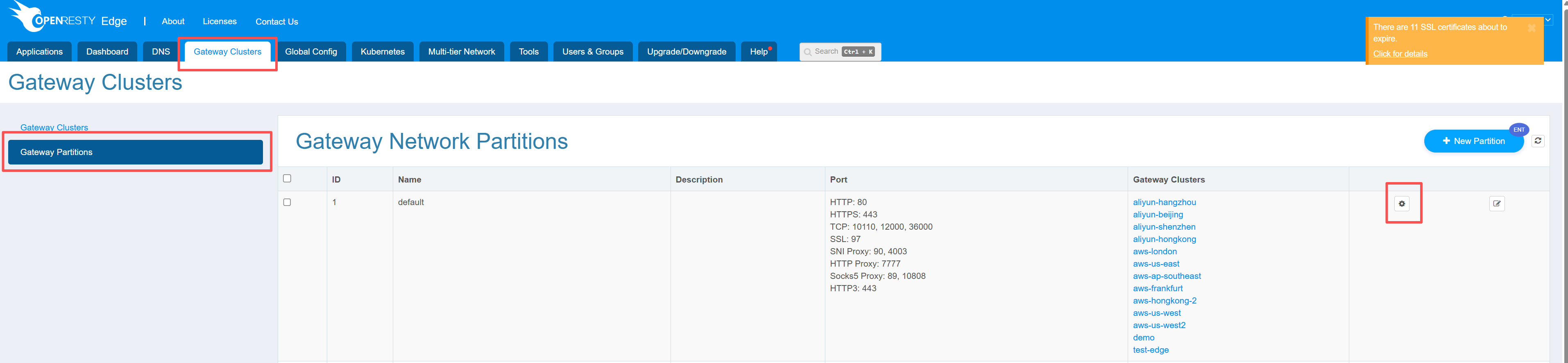
We can edit a partition to configure the required ports.
We click on “Add port” and enter the port that we needed, choosing tcp as the port type.
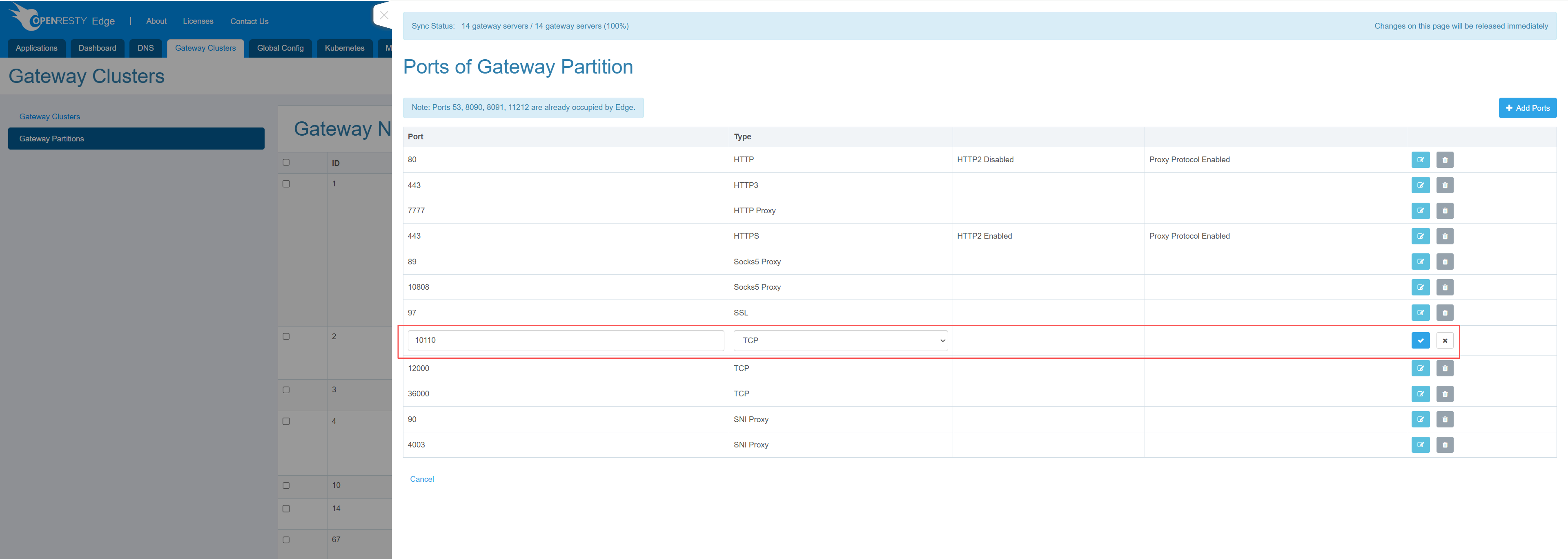
Click on save and we will see the port in the current list. At this point the gateway node in this partition will be listening on this port now.
We now go to Applications => Stream, where we can see the applications of the Stream type that have been created.
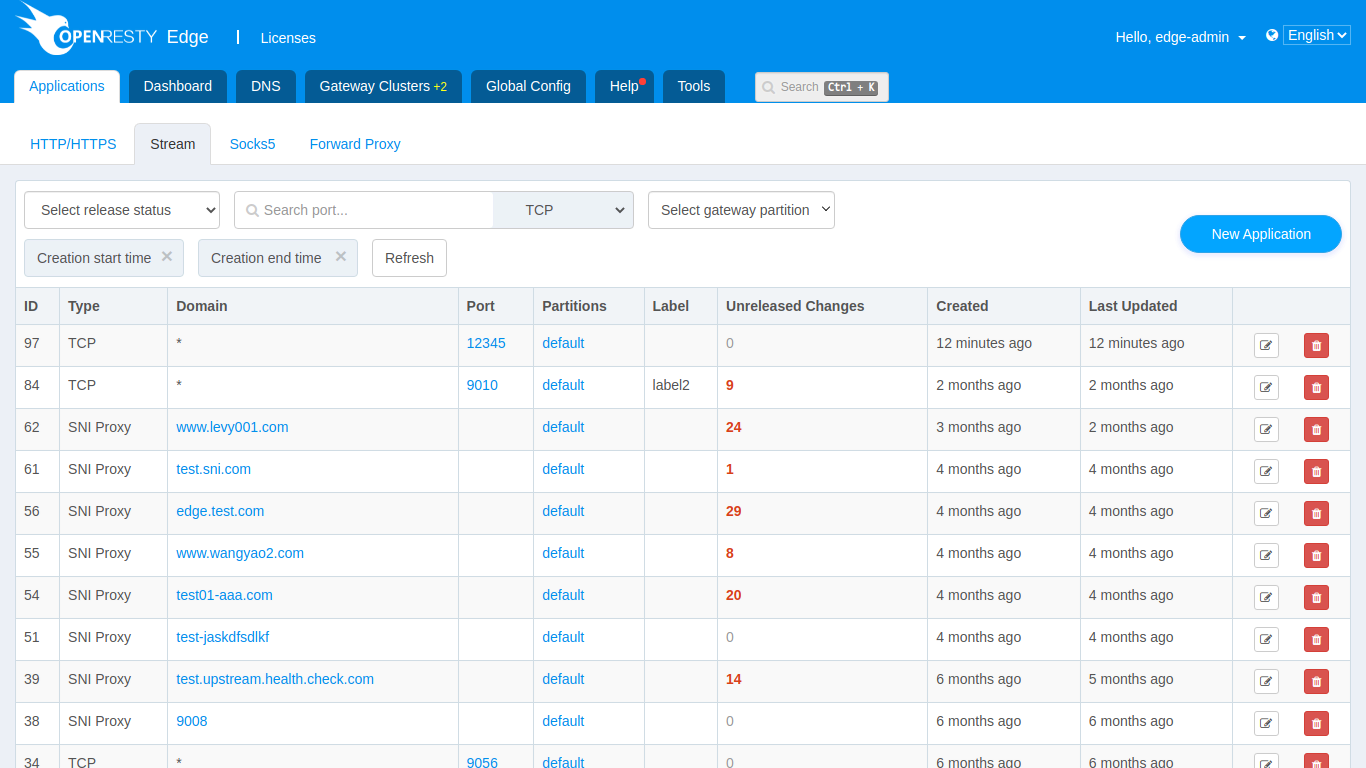
Click on New Application, select TCP as the type, enter the port we just added (also can add more ports), click Save and a TCP proxy application is created.
After creating the application, the next step is to configure the proxy forwarding rules. We need to create the upstream first, and on the upstream page we can see the button to add an upstream.
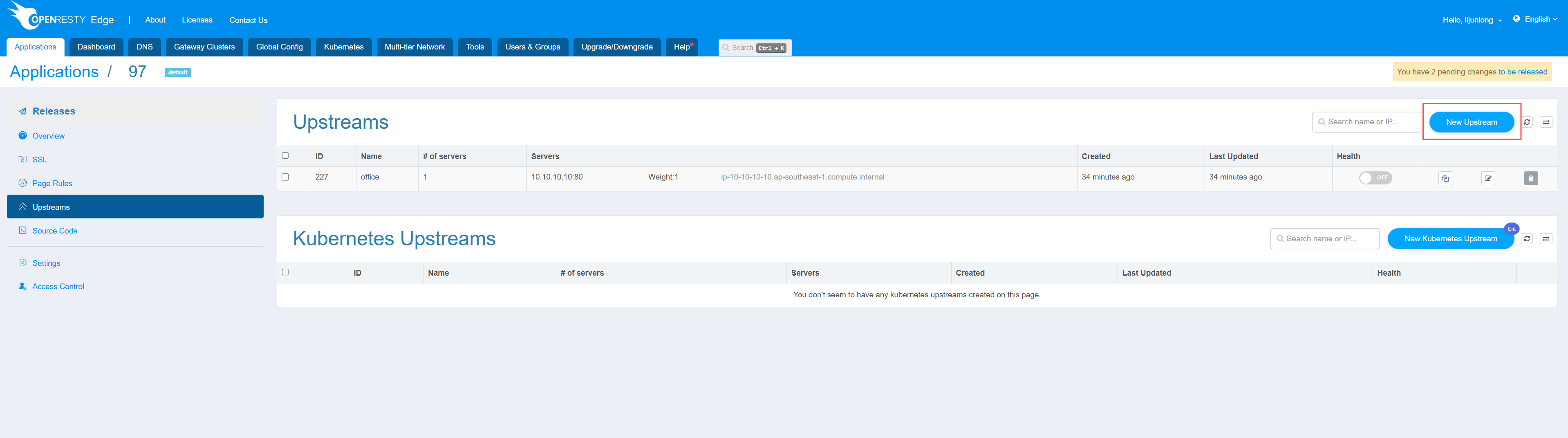
Click on it to add an upstream, enter the name of the upstream, and the address and port information of the upstream node.
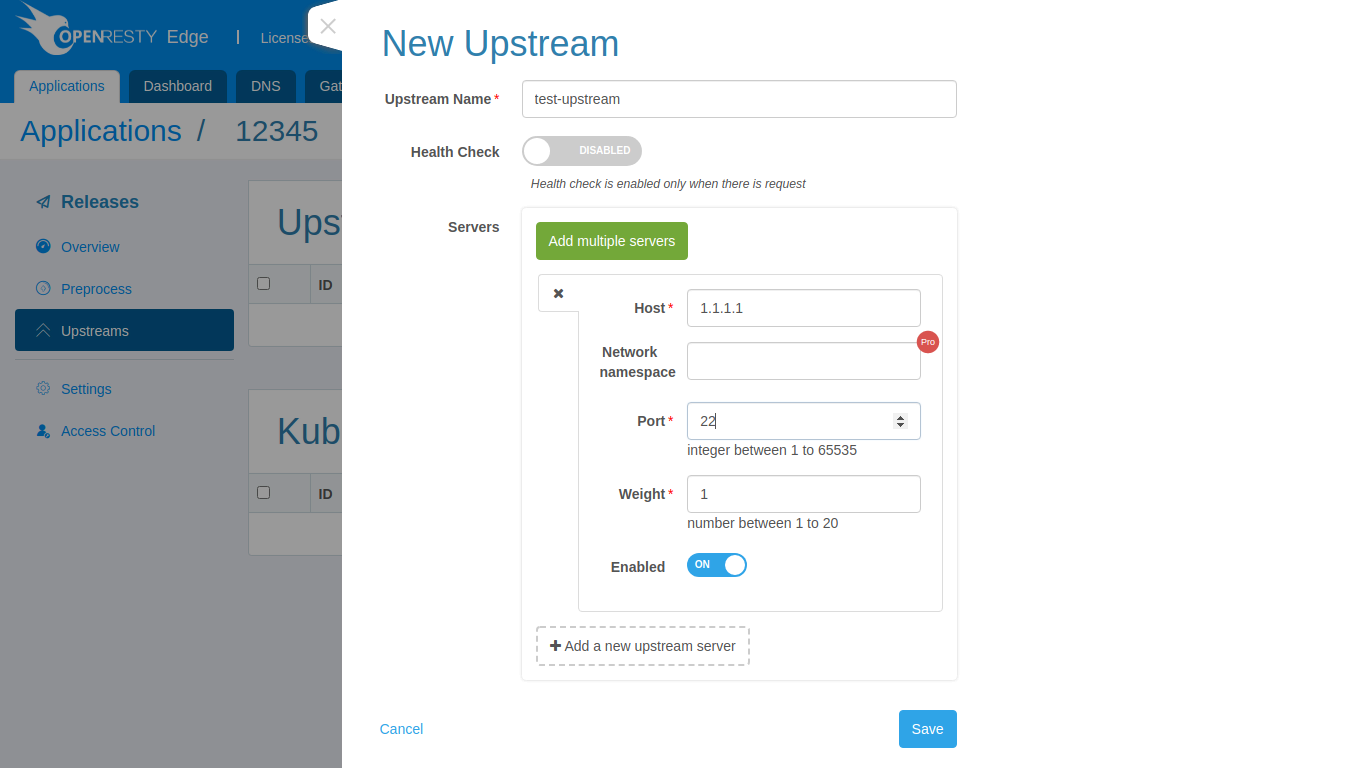
Click on save and the upstream is created.
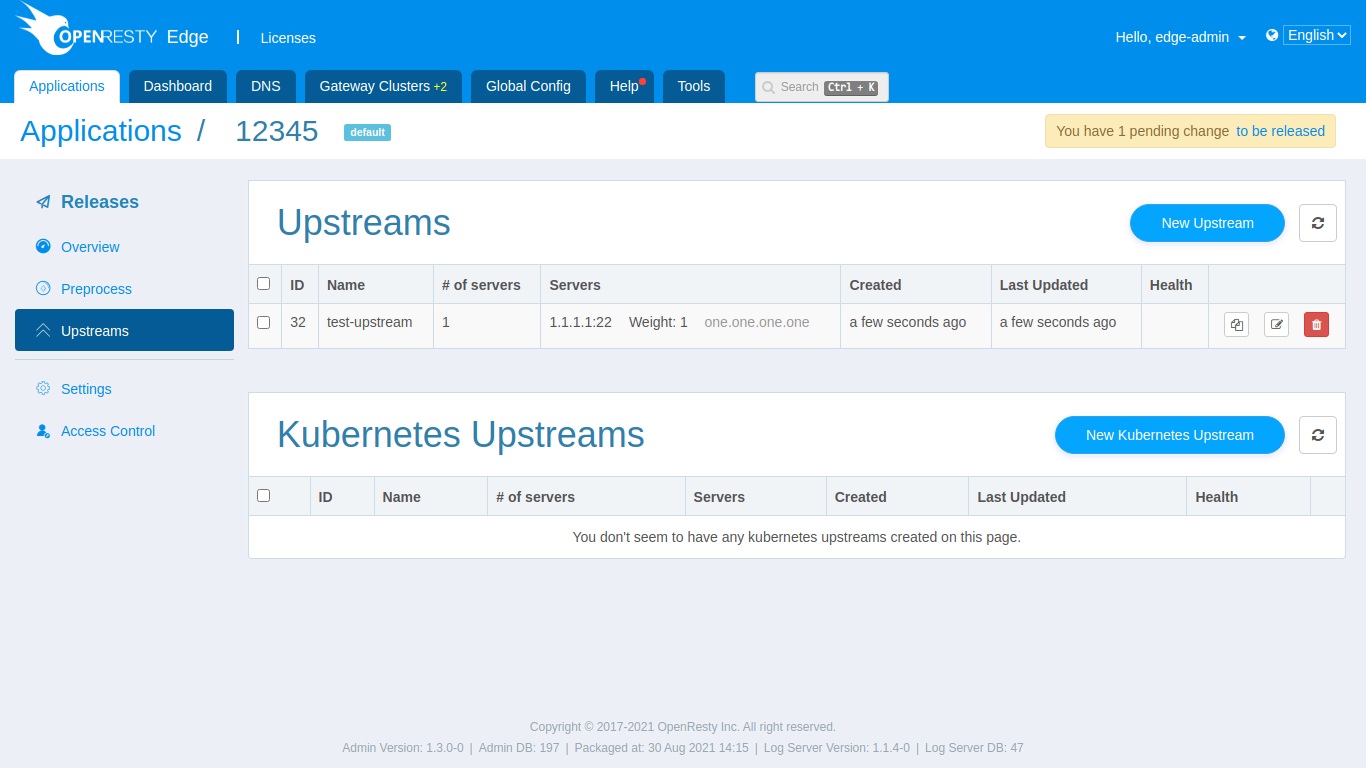
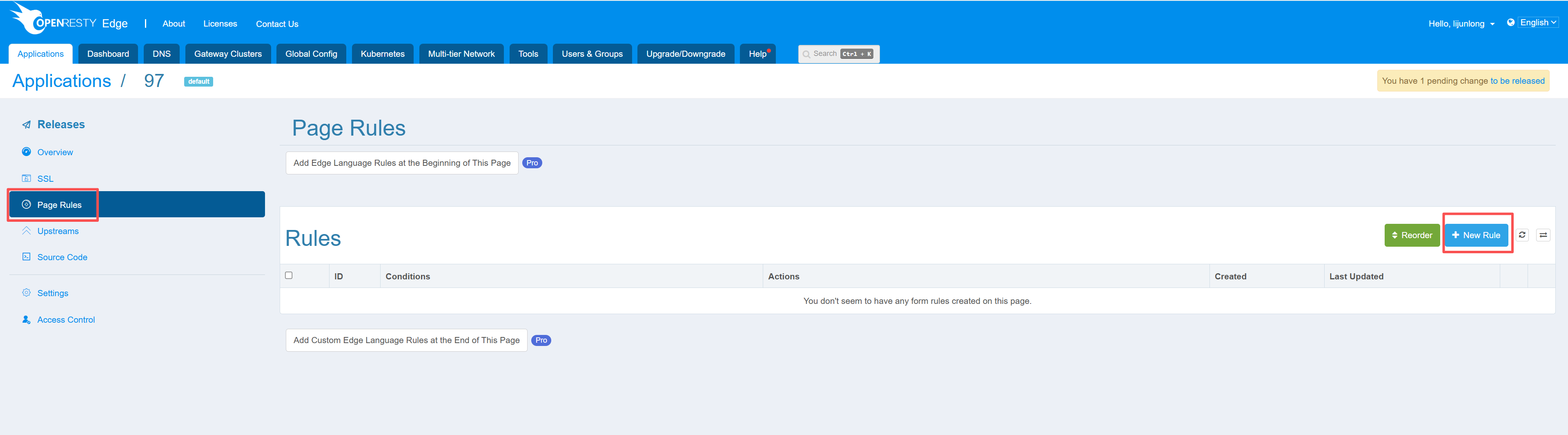
Next, go to the pre-processing stage and click on New rule, we need to create a proxy rule.
We turn on the proxy and select the proxy to the newly created upstream.
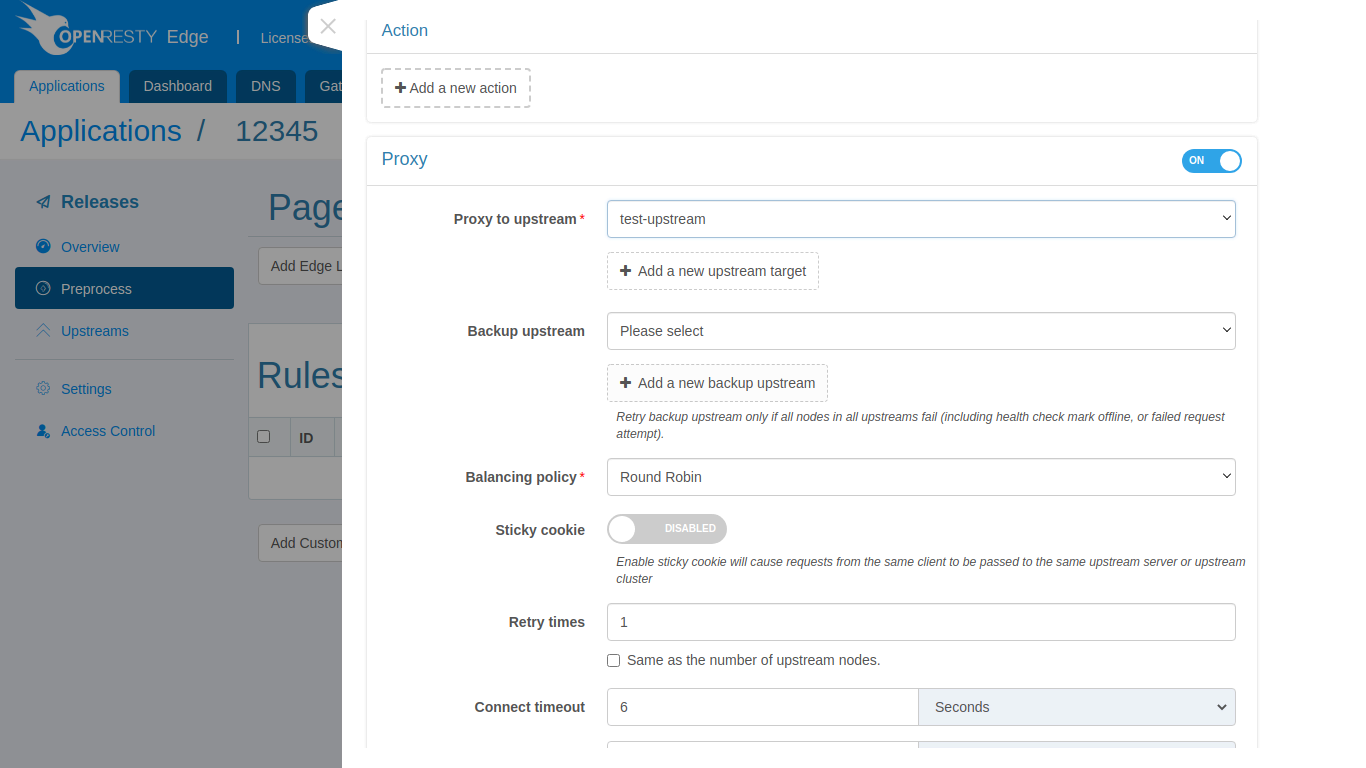
Click on save and the new forwarding rule is created. Next, we need to publish the configuration changes that we have just made. When we go to the publish page, we can see the pending changes that have not yet been released.
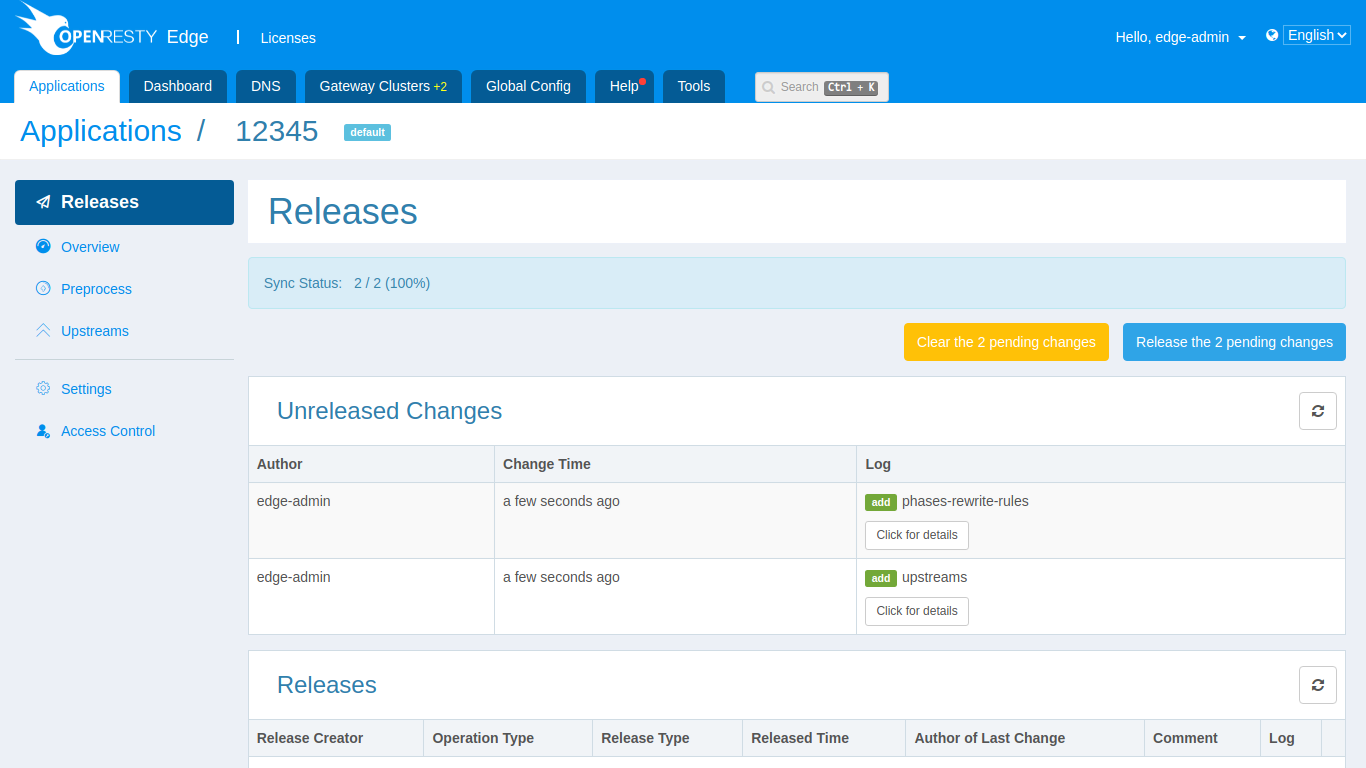
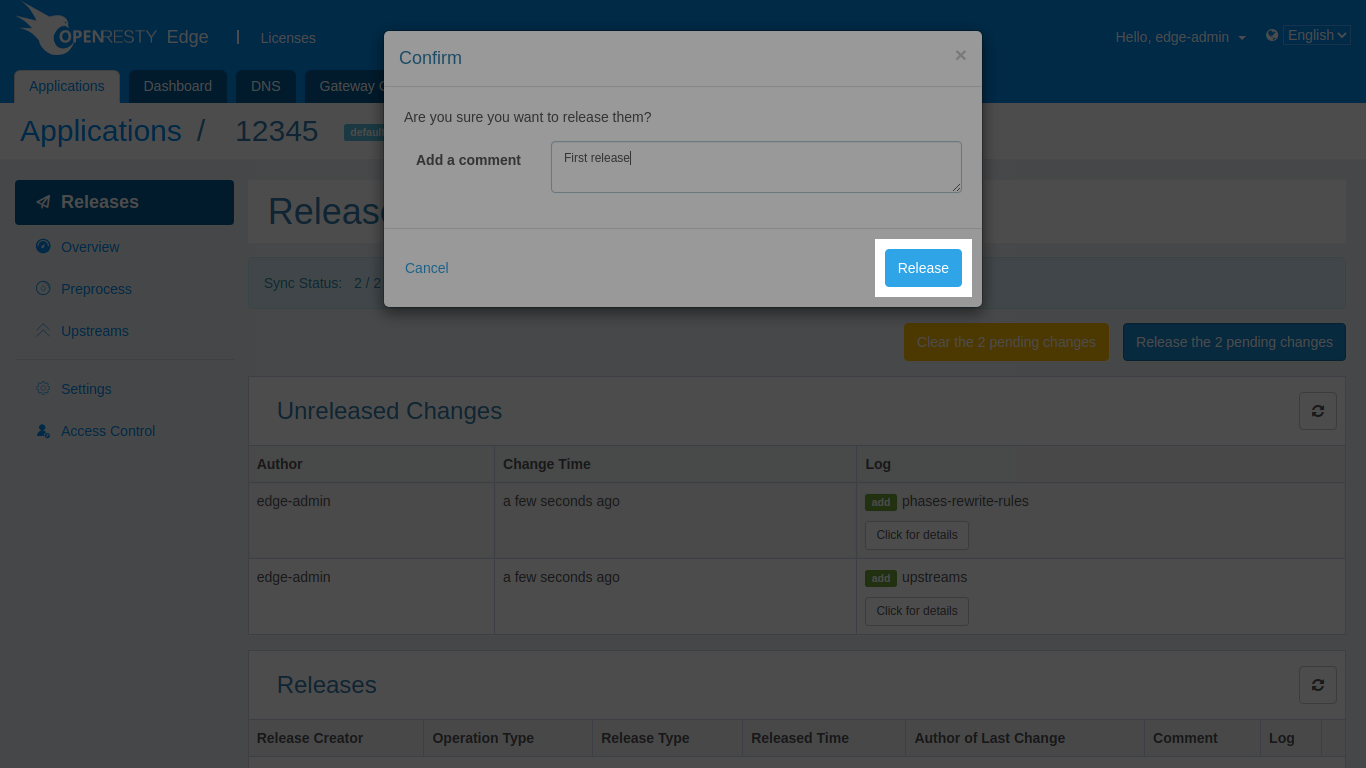
By clicking on the release button, you can optionally enter some notes and then click on release. Soon these configurations are synchronised to the gateway nodes in the partition and a TCP proxy service is already running.
Upstream PROXY protocol
Upstream PROXY protocol v2 and version selection were first introduced in
OpenResty Edge 26.12.1-1.
The gateway can send a PROXY protocol header to the backend to preserve client connection information. The backend must accept the selected protocol version. This setting is separate from enabling PROXY protocol reception on a gateway listening port.
For TCP, UDP, TLS passthrough, and SSL/TLS offloading applications, use the
application configuration API to select the upstream version. The application
types in the API are tcp, udp, tls, and ssl, respectively. Use v2 for UDP
upstreams; the backend must be able to parse PROXY protocol v2 packets carrying
the UDP transport identifier.
PUT /admin-api/applications/{type}/{id}/config
Content-Type: application/json

{"enable_proxy_protocol": true, "proxy_protocol_version": 2}
enable_proxy_protocolenables or disables sending the upstream header.proxy_protocol_versionaccepts the numbers1and2, and defaults to1. Disabling PROXY protocol preserves the selected version for the next time it is enabled.- Setting
proxy_protocol_versionto JSONnullclears the stored value. SubsequentGET /admin-api/applications/{type}/{id}/configresponses omit that field. A missing version is treated as1when publishing.
Release the application after changing the configuration. Existing applications and published configurations without a version continue to use v1. The console currently provides an enable/disable switch; use the API for version selection. For custom EdgeLang rules, see enable-proxy-protocol.
Version requirement
This feature requires OpenResty Edge 26.12.1-1 or later.
Before publishing a v2 application configuration, ensure that all gateways
serving the application have been upgraded to a version that supports this
feature. Older gateways can ignore the version setting and keep sending v1
without reporting an error.
Access-log escaping
TCP applications use the stream access-log format configured under Global
Config > General > Log. Escape supports none, default, and
json, and defaults to none. Use json when a value is embedded in JSON;
use default for the stream log module’s standard escaping.